The latest News and Information on Microsoft 365 and related technologies.
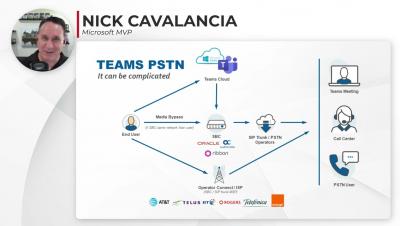
The popularity of Microsoft Teams Calling has many organizations looking at their options to add Teams PSTN capabilities to their Microsoft Teams deployment. While it’s important to select the right PSTN option for your business, it’s even more important to recognize the complexity that PSTN will bring to your Teams deployment and have a plan to deliver good service quality with the technical support resources you have.
As we continue to see Microsoft Teams usage skyrocket, now more than ever, users are depending on Microsoft Teams service excellence to maintain productivity. But it can be challenging to deliver a reliable user experience in today’s modern workplace. There are many factors in the IT environment impacting Microsoft Teams performance, and IT teams typically don’t have full visibility into them, or the service quality delivered to end users.
There is no end to zero-day attacks. Lessen the pain by spotting them early. In recent days two zero-day vulnerabilities against Microsoft on-premises Exchange Servers have been publicized and exploited. The good news is that Exchange cloud users such as Microsoft 365 customers, need not worry as these exploits are only against the on-premises versions.
Are your technicians struggling to find efficient ways to handle manual work? Or is your business at capacity and not able to keep up with the growth of your business? You’re not alone. There are many MSPs needing easier ways to manage large workloads. In today’s busy tech space, if your businesses can’t keep up with the pace, you’ll likely face big issues. Many companies are falling short at the most basic of admin tasks, like managing large volumes of Microsoft 365 licenses.
UC Today, the leading online publication for Unified Communications and Collaboration technology, recently did a deep dive on Martello’s Microsoft-recommended Vantage DX solution for monitoring Microsoft Teams and found out that delivering exceptional user experiences and avoiding a Microsoft Teams outage can be easy with the right solution in place.
When was the last time you had to ask someone to repeat something during an MS Teams call, or had to restart the app, just because the call quality dropped? Sounds familiar? Frustrating, isn’t it? Now imagine hundreds, if not thousands, of employees feeling this frustration at work. Think of the time lost for them, for the organization, and—more importantly—for those who’ll need to fix it. As EUC professionals, we cannot let that happen.
Microsoft Teams is a cloud-based software within the Microsoft 365 application suite. The tool creates a highly collaborative and engaging environment with multiple organizational business units. As a modern unified collaboration (UC) platform, Microsoft Teams uses cloud-based calling, video meetings, messaging, chat, screen sharing, and third-party app integration. However, to ensure a great employee experience, IT must develop and execute Microsoft Teams monitoring use cases.