The latest News and Information on Microsoft 365 and related technologies.
Microsoft 365 services help companies worldwide improve business and revenue by providing best in class digital workspace experience. The NiCE Active 365 Management Pack complements this by advanced M365 monitoring such as full Teams Call analysis integrated into Microsoft SCOM. Advanced monitoring and analytics help you reveal unwanted micro-events influencing the health and performance of the system and its users.
When we were setting SCOM 2022 Teams integration in our environment these are some of the issues and fixes we discovered. For the full setup guide for SCOM 2022, or if you are looking for integrations for older versions of SCOM (2012 R2+) or more functionality, such as bi-directional sync, check out our blog on ‘How does SCOM 2022’s native Microsoft Teams Integration Work?’
Engineering teams can now manage incidents in Microsoft Teams. You’ll have the consistent process and automation of FireHydrant right in the messaging tool you use every day. Effectively run through the entire incident response lifecycle: declare and manage incidents, collaborate with stakeholders, and resolve incidents faster when you integrate FireHydrant with Microsoft Teams.
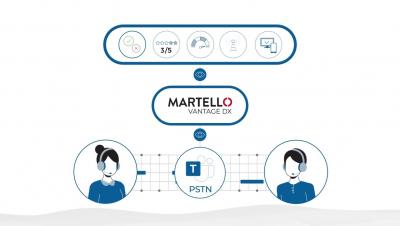
Microsoft Teams users, whether they use peer-to-peer calls, meetings, or PSTN Telephony very often switch from their laptop to their mobile and expect reliable call quality on all devices. Monitoring and ensuring call quality for Microsoft Teams users, in general, is already challenging at times. But when it comes to Microsoft Teams mobile calling, there is added complexity for IT teams.
It is no secret that for IT teams, troubleshooting Microsoft 365 or Microsoft Teams issues takes time, and more often than not, the culprit is not even Microsoft.
In late 2021, Microsoft published an article regarding the connectivity principles for securely managing Microsoft 365 traffic in order to get the best possible performance. Take me to the Article: Microsoft 365 Network Connectivity Principles >> In the section focused on avoiding network hairpins, Microsoft states that as a general rule, the shortest and most direct route/call flow between the user and their closest Microsoft 365 endpoint will offer the best performance.
In any organization, the IT operations teams bear the responsibility of providing reliable cloud services to users that are increasingly distributed, working from home, the office, or elsewhere. As a result, IT professionals are looking for solutions to achieve visibility of the user’s network from end to end to quickly identify and resolve bottlenecks and ensure maximum productivity and ROI of their cloud applications.