Operations | Monitoring | ITSM | DevOps | Cloud

Dashboard Server: Working with the WebAPI tile

Now that we’ve familiarized ourselves with the basics, let’s get on creating our first dashboard! I spot an familiar tile here, the WebAPI tile. This tile is available in the SquaredUp SCOM and Azure products too. WebAPI tile is the way you bring external data into SquaredUp. As long as the tool you’re connecting to has an API endpoint that returns data in JSON payload, you can work with that data to display the data in a dashboard in SquaredUp.

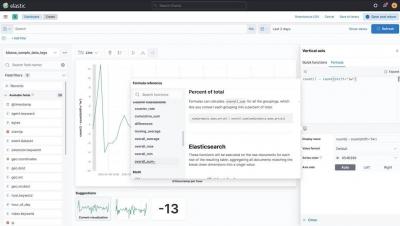
Building Kibana dashboards more efficiently

Creating dashboards is quicker and easier than before with a new streamlined navigation experience, now available in Kibana 7.12. This dashboard-first approach makes it simple for you to create and add visualizations without leaving your dashboard-building flow. Get started directly from a Kibana dashboard with a few simple steps: Select Create Panel and choose what type of visual you want to build.

How to build insightful M365 Analytics Dashboards with SquaredUp and Microsoft Graph API (Part 1)

It’s incredibly helpful to be able to visualize the data produced by your organization’s M365 tenant so you can manage licenses, usage, capacity, and more. SquaredUp dashboards are ideal for this. You can use the WebAPI Tile in SquaredUp to connect to the Microsoft Graph API, which offers a broad set of functionalities for working with Azure via code. Microsoft 365 sits on top of Azure and can be managed via Graph API, too.

Easily monitor your Tencent Cloud services with the new Grafana plugin

Plugins make it easier for Grafana users to get faster time to value. With a few clicks, you can start tapping into the different data stores you and your business already leverage — and see them all in one place in your Grafana dashboard. I’m a huge fan of partner-developed plugins for a few reasons, with my favorite being subject matter expertise. Who better to develop your plugin than the team that knows the product inside out?

How to Collect and Visualize Windows Events From 5 Hosts in 5 Minutes

If you’re investigating incidents on your Windows hosts, sifting through the Event Viewer can be a painful experience. It’s best to collect and ship Windows Events to a separate backend for easier visualization and analysis – but depending on the solution you choose, this can take some significant legwork. Often, this can require manually configuring a 3rd party tool or agent, just to get started.

Announcing OpenSearch: Doubling Down on Open Source

Today, I’m excited to officially announce our support for the OpenSearch project, the new fork of the Elasticsearch and Kibana codebases. As we previously shared, Logz.io has the utmost commitment to its customers and the community to ensure that these open-source technologies will prosper by being built for the community and guided by the community.

How we use metamonitoring Prometheus servers to monitor all other Prometheus servers at Grafana Labs

One of the big questions in monitoring can be summed up as: Who watches the watchers? If you rely on Prometheus for your monitoring, and your monitoring fails, how will you know? The answer is a concept known as metamonitoring. At Grafana Labs, a handful of geographically distributed metamonitoring Prometheus servers monitor all other Prometheus servers and each other cross-cluster, while their alerting chain is secured by a dead-man’s-switch-like mechanism.

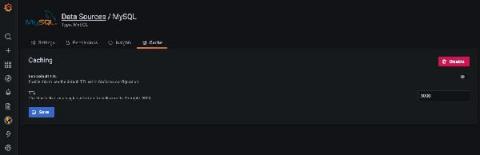
Using NoSQL Databases as Backend Storage for Grafana

Grafana is a popular way of monitoring and analysing data. You can use it to build dashboards for visualizing, analyzing, querying, and alerting on data when it meets certain conditions. In this post, we’ll look at an overview of integrating data sources with Grafana for visualizations and analysis, connecting NoSQL systems to Grafana as data sources, and look at an in-depth example of connecting MongoDB as a Grafana data source.