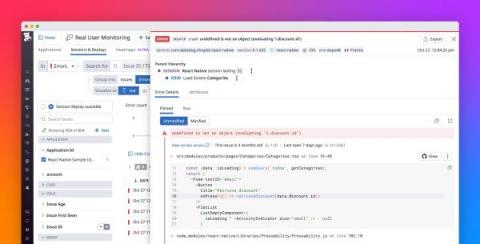
A good developer knows how to debug code. In fact, most software engineers spend the majority of their time debugging existing code rather than writing new code. When it comes to native app development, debugging and tracking errors during development can be a tricky task. So, in this post, I’ll help you understand how you can debug your React Native applications and also track errors during app development.
Components are reusable bits of code that, most of the time, work and function independently. If you want to be confident that components are working properly, you need to test them. Conveniently, Cypress.io has designed their testing framework to include component testing. This tutorial illustrates the differences between end-to-end (E2E) and component testing, and what to consider when using these methods. Then, you will learn how to use Cypress for component testing.
React Native has become the predominant development framework for cross-platform mobile applications. By interacting with native APIs largely under the hood and requiring only a fractional proportion of platform-specific code, it allows you to build applications for iOS, Android, and the browser using the same declarative JavaScript. But this cross-platform adaptability has its downsides.
Many platforms offer free hosting services for React and other JavaScript frameworks. These frameworks can be used for building single-page applications, which is handy when you need to launch a minimum viable product or a quick proof of concept. Your fellow developers are taking advantage of these tools, and you can too. To narrow down options, I will focus on Firebase in this tutorial.
Monitoring performance in front-end applications is vital. It focuses on the areas of the application users experience. These areas are slow rendering or frame rate, network request errors, and unresponsive user experience. Your application’s users expect the experience of using the application to be fast, responsive, and smooth. In the first article of this series, we discussed some tips for optimizing your React Native application performance.
React Native is an amazing framework for building cross-platform mobile applications. It helps you provide a high-quality, native-looking application that runs on multiple platforms, using a single codebase. The current React Native architecture uses the UI (or main) thread and the JavaScript thread. The JavaScript thread is used to run business logic, make API calls, process touch events, etc. The UI thread is where animations and transitions are done.
React continues to be the web framework of choice for many UI developers, surpassing jQuery as the most popular framweork in the 2021 Stack Overflow Developer Survey. It provides an intuitive model for building data-driven user interfaces, and efficiently updates the DOM when this data changes. React pairs nicely with Redux for managing the data that React needs to render interfaces. Redux offers a predictable way to structure and update the data in those frontend applications.