Logging Best Practices Part 6: Security and Compliance
Isn’t all logging pretty much the same? Logs appear by default, like magic, without any further intervention by teams other than simply starting a system… right?


The latest News and Information on Log Management, Log Analytics and related technologies.
Isn’t all logging pretty much the same? Logs appear by default, like magic, without any further intervention by teams other than simply starting a system… right?
In the field of open-source metrics and time series monitoring, it is quite clear today that Grafana is the most popular tool of choice. One of Grafana’s main advantages is its storage backend flexibility. It can support almost all the major time series datastores (Prometheus, InfluxDB, Elasticsearch, Graphite etc.), when each datastore has its own query language syntax, and slight differences in the actual Grafana UI and capabilities resulting from these differences.
When visiting a new website, it is quite normal to get carried away by the bells and whistles of the fancy UI and UX and not be able to appreciate all the lower level, back-end code that runs tirelessly to ensure a smooth and fast website experience. This is because your front-end HTML code has a visually rich browser page interface as a platform to showcase its output. Whereas your back-end, server-side code usually only has a console at its disposal.
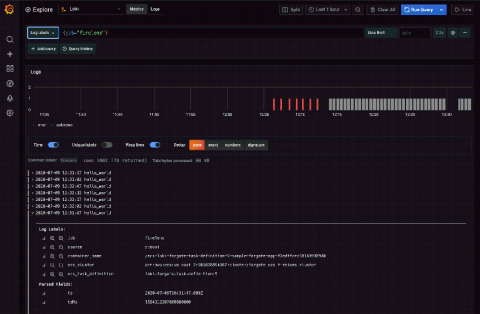
Elastic Container Service (ECS) is the fully managed container orchestration service by Amazon. Combined with Fargate, Amazon’s serverless compute engine for containers, you can run your container workload without the need to provision your own compute resources. But how can you consolidate and query all of your logs and metadata for these workloads? Enter Loki, the log aggregation system from Grafana Labs that has proven to increase performance and decrease costs.
Running a successful company relies on current and accurate information about the underlying systems. Much of this information is contained within your application logs. By investing in your log management solution, you can unlock these crucial insights and access a wealth of powerful data. This post presents a series of goals that will allow you to make the best possible use of your application logs.
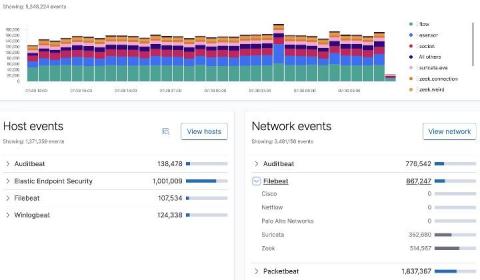
In this blog, I will walk you through the process of configuring both Filebeat and Zeek (formerly known as Bro), which will enable you to perform analytics on Zeek data using Elastic Security. The default configuration for Filebeat and its modules work for many environments; however, you may find a need to customize settings specific to your environment.
Isn’t all logging pretty much the same? Logs appear by default, like magic, without any further intervention by teams other than simply starting a system… right? While logging may seem like simple magic, there’s a lot to consider. Logs don’t just automatically appear for all levels of your architecture, and any logs that do automatically appear probably don’t have all of the details that you need to successfully understand what a system is doing.
When it comes to troubleshooting application performance, metrics are no longer enough. To fully understand the environment you need logs and traces. Today, we’re going to focus on your Java applications.