Operations | Monitoring | ITSM | DevOps | Cloud

Key ECS metrics to monitor

Amazon Elastic Container Service (ECS) is an orchestration service for Docker containers running within the Amazon Web Services (AWS) cloud. You can declare the components of a container-based infrastructure, and ECS will deploy, maintain, and remove those components automatically. The resulting ECS cluster lends itself to a microservice architecture where containers are scaled and scheduled based on need.


Tools for ECS monitoring

In Part 1, we introduced a number of key metrics that you can use for ECS monitoring. Monitoring ECS involves paying attention to two levels of abstraction: the status of your services, tasks, and containers, as well as the resource use from the underlying compute and storage infrastructure, monitored per EC2 host or Docker container. In this post, we’ll survey some techniques you can use to monitor both levels of your ECS deployment.

Monitoring ECS with Datadog

As we explained in Part 1, it’s important to monitor task status and resource use at the level of ECS constructs like clusters and services, while also paying attention to what’s taking place within each host or container. In this post, we’ll show you how Datadog can help you: Automatically collect metrics from every layer of your ECS deployment, Track data from your ECS cluster, plus its hosts and running services in dashboards, and more.

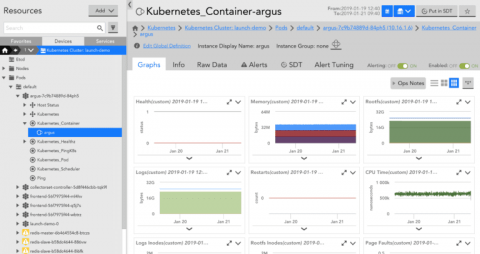
How to Monitor GKE with LogicMonitor

Google Kubernetes Engine (GKE) is a managed Kubernetes service that makes it possible to run Kubernetes clusters without managing the underlying infrastructure. With GKE, DevOps teams can scale and deploy applications faster with Kubernetes, while spending less time on cluster maintenance and configuration. Obtaining enough insight into GKE is key to proactively preventing downtime and maximizing application performance.

How HTTP Toolkit Debugs Netlify Errors with Sentry

Netlify functions are a quick, easy and powerful tool, but like most serverless platforms, they can be even more difficult to debug and monitor than traditional server applications. It’s a hard environment to precisely recreate locally, there’s no machine you can SSH into in a pinch, and no built-in error notifications. Your code is going to break eventually, and you need the tools to fix it.

NiCE VMware MP 5.00 Released

Get the complete picture of the health and performance of your business critical VMware environments. The NiCE VMware Management Pack delivers first-rate monitoring for your business critical, highly dynamical virtualized environments. Even overcoming the specter of global VMware service outages is now viable. Leverage your existing investment, reduce costs, save time and build efficiencies that will last beyond your expectations.

Dashbird product update - February 2019

Mikk and the rest of the dev team at Dashbird have been working overtime this past month, in an effort to rehaul the user experience in the app based on the feedback we are constantly getting. We believe in having an honest and open, two-way street when it comes to communication so I advise each and every one of you to either write us an email via support@dashbird.io or to join our slack channel.

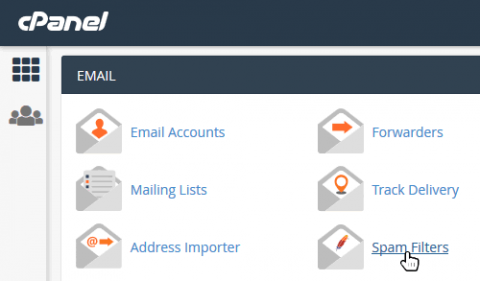
Whitelist Email Addresses in cPanel

In a recent blog post we answered the question: Why Whitelist an Email Address? TLDR; "If you expect to receive important emails from a trusted email address it is worth whitelisting the address to make sure that emails won't be accidentally blocked by an overzealous email client." In this post we show you how to do it in cPanel by adjusting the SpamAssassin spam filters. If you use cPanel webmail (e.g. Horde, Roundcube or Squirrel Mail) then this is what to do...