Operations | Monitoring | ITSM | DevOps | Cloud

Common Operations Problems Solved by OpsRamp Discovery and Monitoring

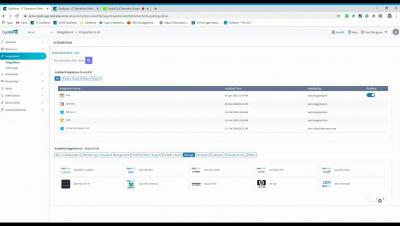
OpsRamp provides hundreds of out-of-the-box IT infrastructure monitoring templates that capture behavioral and performance metrics for applications, servers, networks, storage, and database instances across hybrid and multi-cloud environments. Combined with powerful AIOps capabilities, modern IT operations teams can leverage both native monitors (pre-built instrumentation for managing IT infrastructure) and custom monitors (user-defined instrumentation for specialized workloads) for proactive IT operations management as a service and responsive troubleshooting.

How to choose the right compliance management software for your business

While keeping data safe from modern cyberthreats is difficult enough, you also have to keep in mind compliance with common regulations, i.e., ensuring your company’s compliance to SOX, which deals with transparency in disclosures from public companies. Nowadays, it’s not enough for businesses to rely on dismissive financial documents that satisfy the intermittent audit; you need to level up your game, and create detailed day-to-day records of activities.

Five worthy reads: How should your business approach multi-cloud adoption?

Businesses are emphasizing remote work options, and workers are now accessing more applications and data from their respective locations using the cloud. Even before opting for the current work-from-home mode, it was predicted that 83 percent of the workload will be on cloud for all enterprise activities. It was also predicted that 73 percent of workers from all the departments will be telecommuting by 2028. Looking at the on-going trend, these are highly likely to happen.

How to "leave the office" when the office is your home

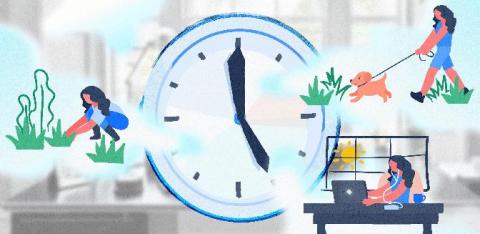
Remember that movie Groundhog Day? Where Bill Murray experiences the same day over and over and over and heartwarming hilarity ensues? Working from home can feel like a lot like that (minus the heartwarming hilarity). The hours meld together because there’s no natural divider to separate work time from personal time.

GrafanaCONline Day 7 recap: The past, present and future of Loki, and making dashboards that tell stories

GrafanaCONline is live! We hope you’re able to check out all of our great online sessions. If you aren’t up-to-date on the presentations, here’s what you missed on day 7 of the conference.

New in Grafana 7.0: Trace viewer and integrations with Jaeger and Zipkin

Moving to a scalable, distributed microservice architecture poses a great deal of challenges for any organization. It gets harder to understand the system and pinpoint where errors originate. Logs get much messier, and stitching together a coherent picture of a particular request can be time-consuming or downright impossible. Distributed tracing can help with all of that.

A note of appreciation from our CEO - Business Continuity Edition

Dear SCOM community, It's been 8 weeks since we launched the free Business Continuity edition (BCE) of our SCOM dashboarding product, and I’m glad to see that many community members have taken us up on the offer. The early feedback we received was encouraging and heartening, and we are happy to have helped ease the pressure on IT teams during these uncertain times, in however small a way.

How to Monitor if a Process is Running

PA Server Monitor's process monitor checks how many instances of a target specified process are running on Windows or Linux servers. It then compares that to the threshold and fires actions as needed. The process may be running locally, or remotely. PA Server Monitor can monitor remote processes on Windows servers via WMI or SNMP, as well as processes on remote Linux/Unix servers via SNMP. Process up or down data is recorded every time the monitor runs. You can define a time period, and optionally a summarization (hourly, daily, weekly, monthly) to create an uptime report for the process.

Add Event ID and Text Filter to Event Log Monitor

How to Audit Windows Logons and Logon Failures When a user logs into a Windows computer, or fails to logon, an event can be written to the Windows Event Log. This feature is built in to Windows. The Event Log monitor in PA Server Monitor can tell you when one of these events occurs, thus alerting you to a server logon, or a failed server logon. And because the Event Log monitor has a configurable monitoring cycle (the Schedule button in the lower right corner), you can find out about the logon in nearly real time.