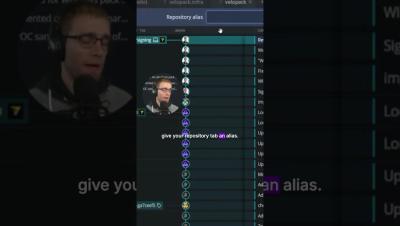
Pro GitKraken tip: Use aliases to customize your repository tab names! Discover more handy tricks in GitKraken Ambassador Kevin Bost's full GitKon 2024 session on our YouTube channel.
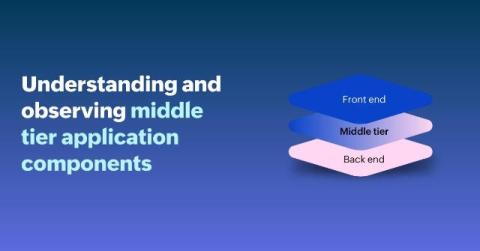
Just like how the filling makes a sandwich, an application's performance is closely tied to how effectively its middle-tier components function. While the front-end is what users see and interact with (UI), and the back-end deals with data storage, the middle tier forms the vital core where the real magic happens—processing, logic implementation, and enforcement of business rules.
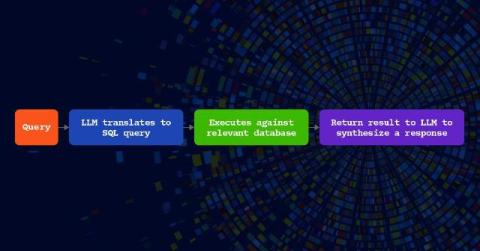
In this post, discover how Kentik Journeys integrates large language models to revolutionize network observability. By enabling anyone in IT to query and analyze network telemetry in plain language, regardless of technical expertise, Kentik breaks down silos and democratizes access to critical insights simplifying complex workflows, enhancing collaboration, and ensuring secure, real-time access to your network data.
As businesses evolve in today’s digital landscape, the need for efficient and scalable computing resources has become paramount. In the early days of the Internet, large corporations would build or rent out large data centers to run their applications and serve customers. This was great as they could use dedicated hardware and expand as they pleased.
Logs are essential for understanding what’s going on inside your application. However raw JSON logs can be hard to read. pino-pretty is a tool that formats Pino logs into a more readable, color-coded format, making it easier to debug and understand what’s happening in your app.
When it comes to monitoring and managing applications and infrastructure on AWS, CloudWatch Metrics is your best friend. CloudWatch helps you track key metrics in real time, providing the data you need to maintain system performance, troubleshoot issues, and gain deeper insights into your environment. But like most things in AWS, it can take some getting used to. To help you make the most of CloudWatch Metrics, we've put together this comprehensive guide.
Cloudcraft is a tool that lets cloud architects design and visualize cloud infrastructure. It acts as a digital canvas, helping you map out everything from simple diagrams to complex systems. If you’re working on a project plan or brainstorming ideas, Cloudcraft makes it easier to see how all the pieces come together. In this post, we’ll talk about what makes Cloudcraft useful for cloud professionals and how to get the most out of it.
As the Product Manager for Honeycomb’s new frontend product, Honeycomb for Frontend Observability, I’ve had the joy this past year of speaking to dozens of frontend engineering teams about observability. Many frontend teams come from worlds where they either rely on QA and customer reports to identify issues in production, or they use real use monitoring (RUM) and error monitoring tools to catch the most egregious issues.
Grafana Tempo 2.7 is here, and while the latest release is primarily focused on performance and operational improvements, we managed to sneak in some new TraceQL features, too!