Operations | Monitoring | ITSM | DevOps | Cloud

In-house vs. MetricFire

You’re ingesting 20,000 data points a second, in 400,000 metrics, from thousands of AWS instances – and your monitoring can’t handle the load. You need a scalable, highly-available monitoring and dashboarding solution (and you need it yesterday). Should you do it yourself with an in-house Graphite or Prometheus monitoring system? Or will you skip the headache and choose a hosted service like MetricFire?

10 Helm Tutorials to Start your Kubernetes Journey

The growth of Kubernetes has been stellar and K8s applications have grown in importance and complexity. Today, even configuring a single application can require creating many interdependent K8s sources that each depend on writing a detailed YAML manifest file. With this in mind, Helm as a package manager for Kubernetes is a major way users can make their K8s configurations reusable.

Scaling Prometheus: How we're pushing Cortex blocks storage to its limit and beyond

In a recent blog post, I wrote about the work we’ve done over the past year on Cortex blocks storage. Cortex is a long-term distributed storage for Prometheus. It provides horizontal scalability, high availability, multi-tenancy and blazing fast query performances when querying high cardinality series or large time ranges.

New in Grafana 7.1: Gain new data insights with InfluxDB and Flux query support

The audience was buzzing when Ryan McKinley, VP of Innovation at Grafana Labs, demoed the new native support for InfluxDB Flux queries in his talk at the InfluxDays virtual conference in late June. Whether the goal is to build IoT applications, or monitor DevOps infrastructure or another application or system, it’s important to move beyond just visualizing the data.

A conversation about Grafana Labs' new partnership with New Relic

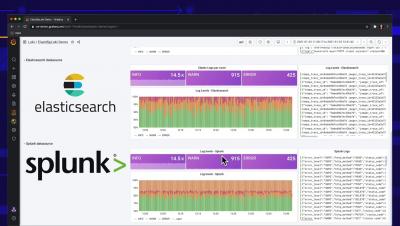
In helping users unify and contextualize all their observability data, Grafana is completely database-agnostic. “We believe that organizations get the best view of what’s going on when they pull in their data from wherever it lives,” said Raj Dutt, CEO of Grafana Labs, the company behind Grafana.

SquaredUp for SCOM - Quick Win Video Series - Part 1: Dashboard Designer

If you are new to SquaredUp, and just need a little helping hand getting started, this Quick Win Video Series is for you! In this series we take you through some of the fundamentals of building and designing your own dashboards. We look at some of the tile types and visualizations that are available, show you how to run SCOM agent tasks from SquaredUp, and finish up with an example of using a SquaredUp dashboard to troubleshoot an issue.

SquaredUp for SCOM - Quick Win Video Series - Part 3: Status Tile

In this series we take you through some of the fundamentals of building and designing your own dashboards. We look at some of the tile types and visualizations that are available, show you how to run SCOM agent tasks from SquaredUp, and finish up with an example of using a SquaredUp dashboard to troubleshoot an issue. This video focuses on the Status Tile. We’ll show you how to scope Donut, Blocks, and Icons Status tiles, including a brief look at how to add custom labels.

SquaredUp for SCOM - Quick Win Video Series - Part 4: TopN Performance

In this series we take you through some of the fundamentals of building and designing your own dashboards. We look at some of the tile types and visualizations that are available, show you how to run SCOM agent tasks from SquaredUp, and finish up with an example of using a SquaredUp dashboard to troubleshoot an issue. This video focuses on TopN scoped Performance tiles. We’ll show you how to scope a Bar Top N Performance tile, and also how to clone and edit a tile.

SquaredUp for SCOM - Quick Win Video Series - Part 5: Dashboard Actions

In this series we take you through some of the fundamentals of building and designing your own dashboards. We look at some of the tile types and visualizations that are available, show you how to run SCOM agent tasks from SquaredUp, and finish up with an example of using a SquaredUp dashboard to troubleshoot an issue. This video focuses on the dashboard actions feature. We’ll show you how to configure actions, including running SCOM tasks, and adding external and internal links.

SquaredUp for SCOM - Quick Win Video Series - Part 6: NOC Dashboard

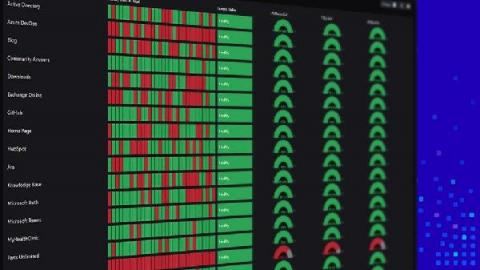
In this series we take you through some of the fundamentals of building and designing your own dashboards. We look at some of the tile types and visualizations that are available, show you how to run SCOM agent tasks from SquaredUp, and finish up with an example of using a SquaredUp dashboard to troubleshoot an issue. This video focuses on how to create a NOC dashboard. We’ll bring together what we’ve learned so far in this video series, whilst also introducing the Matrix tile, and show you how to share your dashboard using our Open Access feature.