Operations | Monitoring | ITSM | DevOps | Cloud

How to Install and Set up a VPN on Windows Server 2022

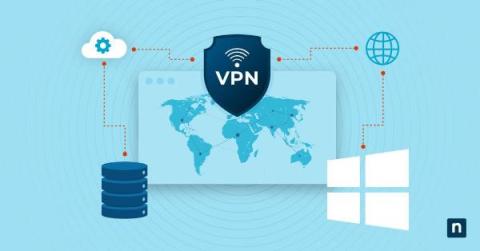
A VPN, or Virtual Private Network, enables secure communications over an untrusted network. It enables users to connect to servers and networks from virtually anywhere, creating a secure tunnel between the user and a remote network or server. VPNs ensure data privacy and prevent unauthorized access, ensuring the data transmitted remains confidential and protected from external threats.

Monitoring Microsoft Windows with Grafana Cloud: new updates

Windows is widely used by developers, businesses, and individuals alike. Renowned for its adaptability, security, and reliability, the operating system is a preferred choice for servers, desktops, and embedded devices. It also holds a significant presence in the cloud, serving as the foundation for numerous major websites and applications.

Unleash optimal IT network performance with OpManager's Windows service monitoring capabilities

Windows services are the unsung heroes of Windows machines. This is because they act as critical components of the Windows operating system that run in the background to keep your computer running smoothly and securely. They are responsible for a wide array of tasks, including system startup and shutdown, security, performance, and application support.

The Quest to Process Microsoft Windows Event Logs in Snare Format with Cribl

One of the things I really love about working for Cribl is the ability to help our customers optimize their data. Microsoft Windows Event Logs are something I have always looked to as a proverbial Rosetta Stone to help translate semi-structured, classic-style events into something more efficient and less resource-intensive to search. Extracting field values requires a large number of regular expressions to parse the events, which isn’t ideal.

Evolution of The Windows Experience Index and Reliability Monitor

As technology advances, operating systems play a vital role in providing a seamless user experience. Microsoft’s Windows OS has been at the forefront, constantly introducing innovative features over time. Two features related to improving the end-user digital experience are the Windows Experience Index (WEI) and Reliability Monitor. These measurements have become instrumental to Digital Experience Monitoring (DEM) in assessing system capabilities and measuring stability.

Forwarding Windows Events to CLM

Looking at your IT environment, you probably have various machines and applications connected to your networks. From network devices to servers to laptops, you need to know what’s happening at all times. While your log data provides the monitoring information you need, your environment’s diversity makes aggregating and correlating this information challenging. If your company invested in Windows devices, then your struggle is even more real because Microsoft uses proprietary format.

Install the BindPlane Agent on Windows

Learn how to install your first BindPlane Agent on Windows, connect it to BindPlane OP server, and start shipping logs and metrics to Google Cloud Operations About ObservIQ: observIQ brings clarity and control to our customer's existing observability chaos. How? Through an observability pipeline: a fast, powerful and intuitive orchestration engine built for the modern observability team. Our product is designed to help teams significantly reduce cost, simplify collection, and standardize their observability data.

How to Disable Fast Startup in Windows 10 and Windows Server 2016

As IT professionals and Managed Service Providers (MSPs), understanding and controlling system features is a part of the job. Fast Startup (also known as Hiberboot or Fast Boot) in Windows 10 and Windows Server 2016, while generally beneficial, may sometimes require to be turned off. In this post, we delve into what Fast Startup is, its implications, how to disable it manually or via PowerShell, and the differences between Fast Startup and Hibernation.

Scaling Window Event Forwarding with a Load Balancer

Scaling to collect Windows Event logs with the Windows Event Forwarding Source can be tricky. Luckily, you can use a load balancer, and with some math to scale the number of workers to collect the amount of data you expect, you can use workers to collect Windows logs from a large number of endpoints. Endpoint logs are the lifeblood of observability in an incident response program.