Operations | Monitoring | ITSM | DevOps | Cloud




Microsoft 365 Teams Outage, April 27th, 2021
This early AM on the East Coast, Teams experienced an access outage. The Exoprise sensors detected this outage an hour before Microsoft published a report on the issue. Here’s an example of what you get when you attempt to sign in, fresh, to Microsoft Teams.

Martello Powers Microsoft 365 Service Excellence
Enterprise Management Associates (EMA) recently developed a report examining the business case for IT end-to-end observability and control and delved into how digital experience management was at the intersection of Microsoft 365 services and IT. Below you will find some excerpts from their report that detail how Martello solutions are able to use digital experience monitoring to provide Microsoft 365 service excellence to our clients.
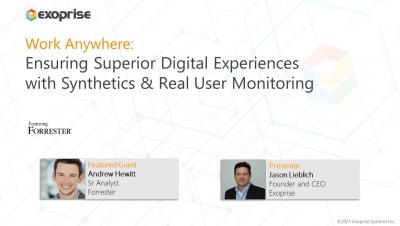
How to Ensure Superior End-User Digital Experience in the Age of Work from Anywhere
NiCE Management Pack 3.3 for Microsoft 365 released
The NiCE Active 365 Management Pack for SCOM enables advanced monitoring for Microsoft 365, Teams, SharePoint, OneDrive, Exchange, and AAD Connect in hybrid environments. It ensures end-to-end control for your Microsoft 365 cloud and hybrid services. The new NiCE Active 365 Management Pack 3.3 release comes with great new features.
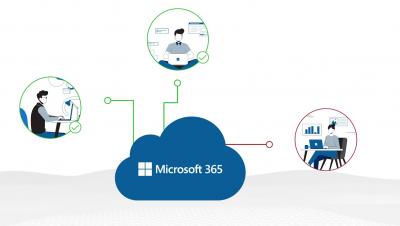
Martello's 'Work from Anywhere' Monitoring Solutions
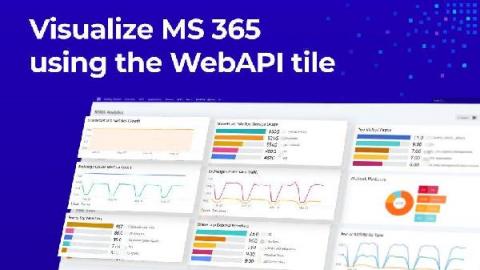
How to build insightful M365 Analytics Dashboards with SquaredUp and Microsoft Graph API (Part 2)
In the last blog post, I walked you through how to connect to the Microsoft Graph API so you can start pulling in the M365 analytics to create a dashboard in SquaredUp. In this blog post, I’ll walk you through exactly how to create this dashboard. This dashboard will allow you to monitor key metrics for Microsoft 365 SharePoint, Exchange Online, and Teams so you can be proactive in assigning storage.
How to build insightful M365 Analytics Dashboards with SquaredUp and Microsoft Graph API (Part 1)
It’s incredibly helpful to be able to visualize the data produced by your organization’s M365 tenant so you can manage licenses, usage, capacity, and more. SquaredUp dashboards are ideal for this. You can use the WebAPI Tile in SquaredUp to connect to the Microsoft Graph API, which offers a broad set of functionalities for working with Azure via code. Microsoft 365 sits on top of Azure and can be managed via Graph API, too.

Exoprise Featured in Latest Gartner Report

Maintaining Microsoft Teams Service Quality
When internal IT teams are responsible for ensuring service uptime, it becomes a challenge with cloud applications like Teams – especially when you don’t know the root cause of an outage. The reality for most organizations relying on Microsoft Teams and other Office 365 cloud services is that there’s an innate expectation that service availability is going to be met; Microsoft has enough redundant infrastructure to ensure they can meet their 99.9% service level agreement.