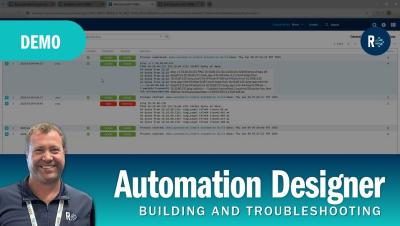
"CFEngine: The agent is in" is our monthly webinar series, where we show new features, teach best practices, and keep the community informed about everything CFEngine.
Today, we’re excited to share the launch of GitKraken Automations, the latest addition to the GitKraken DevEx Platform. Automations is designed to help your team streamline code workflows, enforce best practices, and maintain consistency across your development processes—all while reducing manual effort and common frustrations. This launch represents an important step forward in our ongoing mission: simplifying Git workflows and empowering developers to focus on what they do best.
Patching on Windows operating systems can be a very complicated process. The frequency, size, and proprietary tools used for Windows patching can make patch management a challenge on Windows — but it’s essential for maintaining secure, compliant, efficient Windows and multi-OS environments. In this blog, we’ll run through the basics of Windows patching, the particulars that can make it a hassle, and offer some tips for tackling those headache-inducing hangups.
Digital marketing experts constantly require web scraping tools to conduct research, examine international website versions, and analyze competitors. Proxy servers are a primary option to avoid blocks and explore web pages from different locations. See what makes datacenter proxies by ScrapingAnt a primary choice for your automation tasks.
Finding an effective, integrated solution that can streamline the intricacies as your company expands is a pain, isn't it? Fortunately, there is a complete platform that meets all objectives in a single, powerful solution: the MYOB business management system.
For financial institutions across the EU, and for organisations that do business with these institutions, Digital Operational Resilience Act (DORA) compliance is no longer a “nice to have” — it’s mandatory. No matter how you’re currently meeting and maintaining compliance with the DORA regulation, automation can improve efficiency and effectiveness of the controls you use to stay DORA-compliant.
Tired of sifting through Puppet modules? Wish you could filter and sort to find just what you need? Want a better way to check for module updates for your Puppet-managed infrastructure? Newly revamped user profiles make it easier to find what you’re looking for in the Puppet Forge. Log in or create an account today to save your searches, filter by supported versions, and more. Upload your puppetfile to easily check if you’re using any outdated module versions so you can stay on top of updates.
When you work in the Forge, you're never working alone. New Organization Identities and Follow Module features make it easy to collaborate, share, and track modules you're using to automate with Puppet. Log in or create a Forge User Profile today and get collaborating.
Delivery and logistics in recent years have been completely revamped, thanks to technological advancements. From order processing to where packages are delivered, innovation in solutions, methods, and systems is changing the face of the logistics sector. Let's look at technology in delivery solutions and how it impacts businesses and consumers.