Operations | Monitoring | ITSM | DevOps | Cloud

OpenOps is Available! Start Experimenting with Open Source AI

What is OpenOps? OpenOps is an open source framework for applying generative AI to workflows in a safe and responsible way. The advantages of OpenOps are: In this video, you'll learn how to set up OpenOps and start experimenting with AI on your local machine. Andrew Zigler, our Developer Advocate, will walk you through the steps and show you how the Mattermost plugin can be used to summarize calls, threads, and channels to facilitate new workflows.

Container Security Fundamentals - Linux Namespaces (Part 3): The Network Namespace

In this video, we continue our examination of Linux namespaces by looking at some details of how the network namespace can be used to isolate a container’s view of network resources, and how this feature can be used for troubleshooting container problems.

Say Goodbye to Your Staging Environment. Use Ephemeral Environments!

Oh god! Are you not yet using Ephemeral Environments? Join this live session (recorded) with Romaric (CEO of Qovery) to learn more about Ephemeral Environments and why they will help you eliminate all the downsides of static environments like your Staging. During this session, Romaric has covered: This live session was free and perfect for technical people - CTO, VP Engineering, DevOps engineers, Platform Engineers, and Developers.

Megaport LIVE: What is Network as a Service (NaaS)? - Paul McGuinness

Network as a Service, or NaaS for short. As a leading provider, it’s a term widely used here at Megaport: But what exactly is it, and why are many companies opting for it for their critical connectivity needs? How can NaaS be used and optimized, and what benefits does it bring to you and your customers?

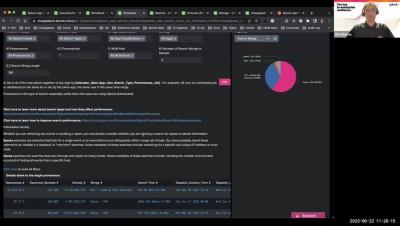
Mastering SVC with Splunk App for Chargeback: App Walkthrough (Part 1)

Part 1 of a series of 3 videos outlining how you can use Splunk App for Chargeback to successfully adopt Splunk’s Workload Pricing. These videos will help you get quick insights and proactively monitor key metrics using the Chargeback app’s out-of-the-box capabilities, and then tie usage to business hierarchy to enable chargeback. It will ultimately help you get back in control of how your teams use Splunk by showing you how to identify and manage wasteful workloads.