Operations | Monitoring | ITSM | DevOps | Cloud

Website Monitoring: What, Why, and Best Practices

When visitors come to your website to browse products, make purchases, or read your articles, you need to consider how they will feel. Furthermore, a website that loads slowly and experiences frequent breakdowns must be avoided because it can turn visitors away. Your sales, revenue, and profitability may suffer as a result. Additionally, it could harm your reputation, particularly if the visitor is fresh. If they have a bad first impression, they will quickly pursue other options.

Top 10 Cron Job Monitoring Tools in 2023

A cron job is used to schedule and carry out specific tasks. It automates the process and periodically executes it in the background. You can keep track of whether a given cron job is running or not with the help of a cron job monitoring tool. You must first configure a cron job in the monitoring tool before you can monitor it. After then, the tool checks the status regularly and notifies you when a problem occurs. This article lists the top 10 tools for online cron job monitoring.

Business Benefits of Network Detection and Response (NDR)

When we talk about the business value of a tool or a system that at first glance may seem like a “nice to have” or a “helpful but not absolutely necessary” technology, it is a good idea to start any discussion on the merits of the tool by putting some things into perspective.

Get More Visibility with Uptime Reports

Web performance greatly influences the user experience through engagement with your brand and impression of your products. For example, page speed is directly proportional to how long people stay on a site. As a result, there’s much more demand for network optimization on modern devices, including AR, IoT, cloud drives, and mobile apps. When your network stretches across hundreds of locations, the server ends up receiving the output from tons of clients at the same time.

Phantom Metrics: Why Your Monitoring Dashboard May Be Lying to You

Whether you’re a DevOps, SRE, or just a data driven individual, you’re probably addicted to dashboards and metrics. We look at our metrics to see how our system is doing, whether on the infrastructure, the application or the business level. We trust our metrics to show us the status of our system and where it misbehaves. But do our metrics show us what really happened? You’d be surprised how often it’s not the case.

The Optymyze CEO Explains 5 Ways To Automate Your DevOps Workflow

The phrase "time is money" couldn't be more accurate in the business. Increasing efficiency and productivity can considerably impact the bottom line for organizations that rely heavily on their development and operations teams. You can reduce manual steps, save time and money, and improve quality overall by automating specific tasks in your DevOps workflow. Here are five ways entrepreneurs like the Optymyze CEO use automation to enhance their DevOps workflow.

Python Syslog | Configuring Syslog in Python using syslog and logging module

Syslog is an important messaging protocol in computing systems where it is used to send system logs or event messages to a specific server. In Python, you can either use the syslog module or the logging module to collect and send syslogs to a central server. Logging is important to audit and debug your software. You can set logging to your running application to help monitor its behavior locally or system-wide. In this tutorial, we will learn how to configure logging to syslog in Python.

From silos to synergy: Success stories from 2022

Time waits for no one, and the years just seem to fly by. For us at ManageEngine, this year was especially memorable as we turned 20. And, as the best birthday gift ever, you helped us hit the most coveted milestone that many can only dream of achieving. Zoho Corporation, the parent company of ManageEngine, hit $1 billion in revenue earlier this year—and we have only YOU to be thankful for. But, that’s not all.

Grafana dashboards in 2022: Memorable use cases of the year

One of our favorite things at Grafana Labs is seeing Grafana dashboards in action. Over the past year, members of the Grafana community — from inside and outside of the company — shared the unique ways they have used dashboards to monitor a wide range of projects including an elderly parent’s home, a Tesla, and a python named Pretzel. Let’s take a look back at some of the eye-catching and informative results.

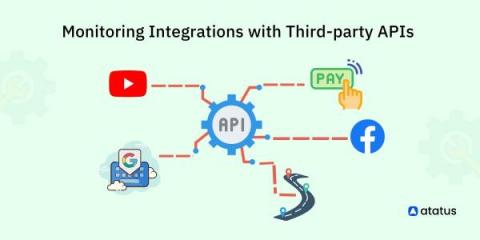
Monitoring Integrations with Third-party APIs

Accessorizing can completely turn around your look. Same way, the apps we make may also feel patchy sometimes, but then, if we bring in third-party resources - such as third-party API integrations, it can drastically enhance our application’s performance. These additional API integrations expand the functionality of your application tremendously, for example, you might add a real-time alerting feature to an analytics tool you built!