Operations | Monitoring | ITSM | DevOps | Cloud

The latest News and Information on Monitoring for Websites, Applications, APIs, Infrastructure, and other technologies.

Optimizing AIX Performance: Identifying and Resolving Common Misconfigurations with Galileo

For decades, many of the world’s top enterprises have trusted IBM Power Systems to run their mission-critical applications. IBM’s proprietary Unix operating system, AIX, is widely used in enterprise IT environments for its reliability, availability, and serviceability (RAS). As a result, performance optimization of AIX infrastructure is crucial.


Strategies for Monitoring High-Traffic Websites

Managing a high-traffic website is like balancing on a tightrope. One wrong step, and you risk plummeting into the abyss of downtime and poor performance. For businesses, this can translate into lost revenue, damaged reputation, and frustrated users. Ensuring your website is always up and running smoothly isn’t just a nice-to-have—it’s a necessity for success in today’s digital landscape.

5 tips for end-user experience monitoring best practise

End-User Experience Monitoring (EUM) is a web performance monitoring option that helps keep track of users' behavior or actions as they interact with an application. A business monitors and uses the findings to analyze data and work on it to create an optimized user experience. The monitoring involves what the user does and how the delivery of the application affects them. The impact of the action is critical to understanding how you can scale up or maintain the performance of your system.

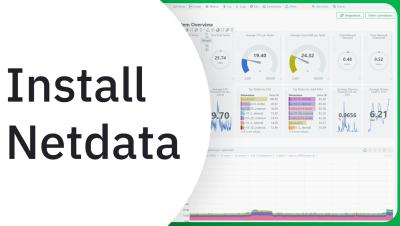
Install Netdata in under 1 minute!

Netdata software engineer Fotis Voutsas demonstrates just how fast and easy it is to install Netdata. In under a minute, Netdata is up and running, monitoring your system's metrics. With Netdata, you can monitor your nodes, whether they are physical, virtual, containers, or IoT. All you need to do is: Sign in at app.netdata.cloud Copy the kick-start script, paste it into your node's terminal, and follow the directions, typing in your sudo password along the way. Watch your Netdata dashboard come to life and start monitoring your infrastructure with pre-configured dashboards.