Operations | Monitoring | ITSM | DevOps | Cloud

The latest News and Information on DevOps, CI/CD, Automation and related technologies.

How to Cut Cloud Compute Costs Without Rewriting Your Apps

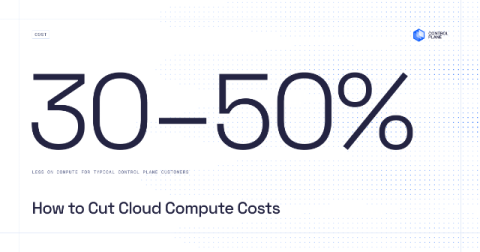
The fastest way to cut cloud compute costs is to stop paying for capacity your workloads do not use. Right-size CPU and memory to real usage, scale idle workloads to zero, and make cost policy a platform default instead of a quarterly review. Control Plane does all three at the platform level: Capacity AI right-sizes running workloads, autoscaling scales idle ones to zero, and customers typically spend 30 to 50 percent less on compute than running directly on AWS, GCP, or Azure.

AI cost allocation: how to attribute AI spend by team, product, and customer

AI cost allocation is the practice of attributing every dollar of AI spend to the team, product, feature, or customer that generated it. That spend includes API tokens, GPU compute, per-seat tools, and shared infrastructure. It's harder than cloud allocation because AI spend arrives untagged, spans vendors, and pools in shared resources. Four methods cover most cases: tag-based, key-based attribution, proportional split, and usage-telemetry.

Shipped: One CloudZero for everyone, starting October 1

On June 3, we made the new CloudZero experience the default for every customer. Since then, we’ve shipped around 30 improvements a week: side-by-side period comparisons in Explorer, budgets you can create and edit right in the app, threshold alerts on dashboard tiles, and Monitors, which flags AI and cloud spend that moves outside its normal pattern and shows you what changed. Pages load 28 to 61% faster. JavaScript execution is 85% faster.

Auto-Generate Richer Azure Architecture Diagrams

Azure architecture diagrams go out of date fast, and management-plane data alone misses the runtime connections that matter most. In v5.4, diagrams move to their own Diagrams tab in Azure Documenter. Alongside the enhanced network and workload diagrams, there is a new Resource Visualizer diagram. Scope it by subscription and resource group, or write your own custom Azure Resource Graph query to define exactly which resources to include.

Change the Cloud Cost Conversation from Spend to Margin

"Our Azure bill went up 20% last month." Without context, finance only sees a rising cost. Unit economics gives them the full picture. Turbo360 lets you overlay business KPIs on your Azure spend. Track units like orders, active users, document views, or monthly recurring revenue alongside cost, and see your cost per unit month over month. Now the conversation becomes: "Orders went up 150% and our cost per order came down." That is a story about efficiency, not overspend.

Database change management on Databricks: migrations, environments, and AI-generated change

You wouldn’t ship untested SQL Server database changes – Why is Databricks different? Databricks is where the data estate is growing, and increasingly where AI workloads run and generate change. But schema change there still happens the hard way: views and stored procedures managed through manually versioned scripts, drift between workspaces discovered when a deployment fails, and no reliable record of what changed, when, where, or why. As AI raises the volume and speed of schema change, these gaps widen.

This AI agent finds your app's bottlenecks and suggests the fix

Most teams collect the profiles and traffic data that explain a slowdown. Almost nobody has time to read it before users notice. In this Product Highlights conversation, Sylvain Guittard, Senior Director of Product at Upsun who leads the team behind the Upsun console and CLI, breaks down the Upsun Cloud Performance Agent, the first background agent running on Upsun Cloud. His take: "We monitor everything, we feed that into an agent, and the agent will be capable of finding what the bottlenecks are in your application. And on top of it, it gives you a patch, or a way to fix it." We get into.

Watch this AI agent find and fix performance bottlenecks

Anyone can claim an AI agent will fix your performance problems. This demo shows exactly what it looks at and what it hands back. In this Product Highlights conversation, Sylvain Guittard, Senior Director of Product at Upsun who leads the team behind the Upsun console and CLI, runs the Upsun Cloud Performance Agent live on a demo project. His take: "You have a patch that is already available, and a recommendation, so you can see if it fits or not to your context." We get into.

Realtime transaction fraud detection - with an LLM?

Conversational AI with a chatbot is great for drafting emails or debugging code, but it’s less ideal for real-time application middleware. If you’re trying to inspect a financial transaction for potential fraud in the middle of a checkout loop, you don’t need an LLM to write you an essay about why a credit card transaction looks suspicious – you just need a probability score, and you need it as fast as possible.

How to Use Jira Planner to Plan Software Projects

Jira Planner is an AI planning agent in Jira that turns high-level product requirements into ready-to-build plans (requirements, technical specs, and Jira work items) grounded in your actual codebase, architecture, and Confluence context. In this video, you'll see how Jira Planner brings due diligence to the pre-build phase, so engineers and AI coding agents start from a plan that reflects the real code instead of a vague prompt. It's useful for product managers, engineering leads, and developers who want to cut the rework that comes from AI guessing at requirements.