Operations | Monitoring | ITSM | DevOps | Cloud

Why Most Security Firms Miss Their Incident Prevention Window

Security operations managers face a critical paradox: their teams are designed to respond to incidents, but the incidents that matter most are the ones that never happen. The difference between a security firm that prevents problems and one that merely responds to them comes down to a single, often-overlooked factor: whether they can see what their guards are actually doing in real time. When operators lack live visibility into patrol locations, guard status, and emerging threats, they're always one step behind.


Incident Chat and Virtual War Rooms: How to Improve Incident Response

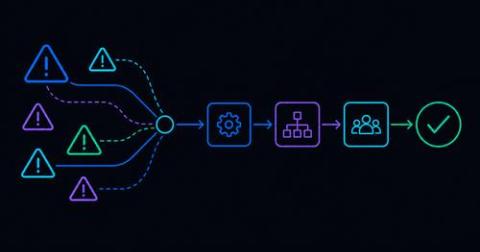
How do you keep incident communication organized during a critical incident? Effective incident response requires more than getting an alert to the right person. Once responders are engaged, they need a shared place to exchange information, coordinate actions, and track decisions. A dedicated incident chat – or virtual incident war room – keeps that collaboration tied directly to the incident instead of scattering it across email, Microsoft Teams, Slack, text messages, and phone calls.

PD Automation Runner: Automation That Finally Reaches Your On-Prem Stack

This blog post is part of PagerDuty’s ongoing series on how we’re helping customers navigate their journey towards autonomous operations. Read on to learn about how PD Automation Runner, now in Early Access, builds towards this vision. Your on-call engineer gets paged for a critical alert on a self-hosted Kubernetes cluster. If this were a cloud-hosted service, Workflow Actions and the SRE Agent would already be working the problem: pulling logs, checking health, surfacing a fix.

See It, Approve It, Revoke It: Scoped OAuth for Public Apps

This blog post is part of PagerDuty’s ongoing series on how we’re helping customers navigate their journey towards autonomous operations. Read on to learn about how Scoped OAuth for Public Apps, now in Early Access, builds towards this vision. Your security team asks a simple question during a routine review: which third-party apps can reach our PagerDuty data right now, and what exactly can they do with it?

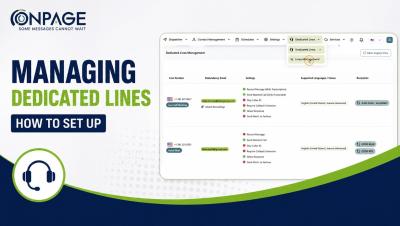
Managing Dedicated Lines in OnPage | How to Set up Dedicated Lines

Learn how to set up and manage Dedicated Lines in OnPage. In this step-by-step tutorial, we’ll walk through how to configure your Dedicated Lines to control how incoming calls are received, processed, and routed. You’ll learn how to:✓ Configure basic line details✓ Customize call processing behavior✓ Set up interactive routing menus✓ Add caller instructions and prompts✓ Review and save your Dedicated Line settings.