

|
By Falit Jain
Jira round robin assignment hands each new issue to the next person on a list, so incoming work spreads evenly instead of piling up on whoever happens to be watching the queue. Jira Cloud can do this natively with Jira Automation, and for most teams that takes ten minutes to set up. The hard part is everything around it: people on leave, triage that happens in Slack instead of Jira, and the gap between "evenly assigned" and "actually picked up".

|
By Falit Jain
The Google Cloud London outage on Tuesday, October 20, 2026 began as a power event inside a single zone, europe-west2-b, and within hours it was the reason people across Britain could not open their banking apps, process orders, or join remote court hearings.

|
By Falit Jain
Certificate expiry is the most predictable outage in all of infrastructure. The date is printed inside the certificate. You can read it ninety days ahead. Nothing about it is a surprise, and yet SSL certificate expiry alerts remain one of the most common gaps in otherwise mature monitoring setups, and expired certificates keep taking down production systems at companies with serious engineering teams.

|
By Falit Jain
Most teams building an on-call rotation template in Google Calendar get the first two steps right and the third one wrong. Creating a shared calendar is easy. Inviting the team is easy. Expressing "four people, one week each, forever, handing off Monday morning" as a set of recurring events is where it falls apart, usually into a mess of one off entries that someone has to rebuild by hand every quarter.

|
By Falit Jain
Cron job monitoring is the part of observability most teams skip until a backup turns out to have stopped running three weeks ago. A web server that falls over generates errors, trips a threshold and pages someone inside a minute. A nightly job that quietly stops running generates nothing at all. There is no error rate to alert on, no latency spike, no failed health check. There is only an absence, and absence is invisible to almost every monitoring setup by default.

|
By Falit Jain
Running 24/7 on-call coverage with a small team is first of all an arithmetic problem, and most teams avoid doing the arithmetic because the answer is uncomfortable. There are 168 hours in a week. Your engineers work roughly 40 of them. Somebody has to be reachable for the other 128, and if you have four engineers, that somebody is each of them, one week in four, thirteen weeks a year.
|
By Falit Jain
Most engineering teams track exactly one incident response metric, and it is usually MTTR. It appears on the quarterly slide, it goes up or down by a few minutes, someone says "we need to bring that down," and nothing about the next incident changes. The problem is not that teams measure the wrong thing out of laziness. The problem is that incident response metrics are genuinely hard to design, and a single average duration is the easiest number to produce from an incident tracker.
|
By Falit Jain
Incident severity levels exist for one reason: so that a responder who was asleep ninety seconds ago can decide, without debate, how many people to wake up. Everything else (the reporting, the SLA math, the quarterly review slides) is downstream of that one decision. If your scale cannot be applied in under thirty seconds by someone with partial information and no context, it is not a severity scale. It is documentation.

|
By Falit Jain
Most teams wire up PagerDuty Slack workflows in the shallowest possible way: an incident fires, a message appears in a channel, and a human reads it and then goes somewhere else to do the actual work. That is a notification, not a workflow, and it leaves most of the value on the table. The useful version automates the steps between the alert arriving and someone competent looking at it. Who gets assigned. Where the conversation happens. Who else needs pulling in.

|
By Falit Jain
An on-call escalation policy is the part of your incident response that runs when nobody is looking. It fires at 3:14am, decides who gets woken up, decides how long to wait before waking up somebody else, and decides when to stop trying. Most teams write one in an afternoon, wire it to a rotation, and never touch it again until an incident goes badly and the retro asks the uncomfortable question: why did it take forty minutes for a human to acknowledge?
|
By Pagerly
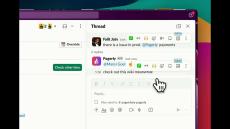
Sync Pagerduty Rotations Schedule , Oncall with Slack Usergroup using Pagerly In pagerly, Choose your team name and Slack Usergroup Handle which would automatically sync with Pagerduty Latest Oncall Pagerly would remove the previous oncall and add the latest one automatically. Anyone can mention the oncall using the slack usergroup handle and they would be notified instantly Add permanent users if you want to have in slack usergroup even though they are not oncall.
|
By Pagerly
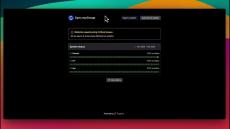
Pagerly Status Page App offers a comprehensive solution to manage and display the status of services with real-time updates, customizable design, and subscriber notifications. Host your status page on a custom domain and include detailed service-level timelines for clarity and professional presentation. Why Pagerly Status Pages are the best Real-Time Updates: Instantly update status pages with both manual and automated workflows to keep everyone informed about incidents as they happen.
|
By Pagerly
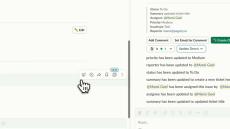
With Pagerly, you can create threads on Slack whenever a ticket is created at some state in jira.
|
By Pagerly
Google Calendar Integration with Slack: Smarter Scheduling with Pagerly Ever wondered who is on rotation, on-call, or on vacation? With Pagerly’s seamless Google Calendar and Slack integration, you can manage schedules and plan rotations effortlessly while staying updated in real time.

|
By Pagerly
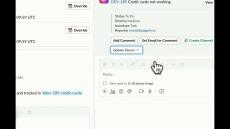
Round Robin Rotations in Pagerly: Simplify On-Call Scheduling Pagerly’s Round Robin Rotations streamline shift schedules and on-call rotations by automating task assignment within your user groups. This ensures fair workload distribution and improved team efficiency.
|
By Pagerly
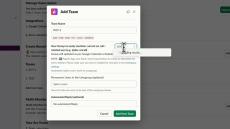
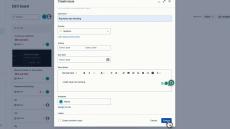
Want to have different emojis for creating different priority tickets? Want to create tickets with different emojis to different teams? With Pagerly, You can quickly create incidents or tickets within Slack using emojis. Use your favourite emoji or the rightly suited one and setup teams to map the emoji to the team or ticket board. You can define different issue types , priority levels, services, etc or any custom field of your choice to setup these.
|
By Pagerly
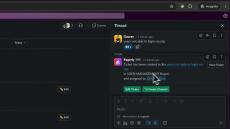
With Pagerly, Automatically Add Responders and Channels when a ticket and incident is created.
|
By Pagerly
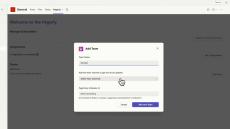
Manage Oncalls, Incidents on Microsoft Teams (Integrate Pagerduty, Opsgenie) Get Oncall Change Notifications within Microsoft Teams. Mention Current Oncall Automically in any conversation without switching applications.
|
By Pagerly
Is your support ever in a situation to report an issue but don't know which team to add? Are you looking to create a ticket or incident in seconds? Do you want to convert slack messages into tickets? With pagerly, you can create a ticket or an incident to the right team with the right information in seconds.

|
By Pagerly
Automatically synchronize groups between Slack and Google. No more manual group management on both Google and Slack - your solution is here.
- October 2026 (2)
- September 2026 (12)
- August 2026 (15)
- July 2026 (7)
- May 2026 (5)
- October 2025 (1)
- September 2025 (1)
- August 2025 (1)
- April 2025 (2)
- February 2025 (3)
- January 2025 (2)
- September 2024 (3)
- July 2024 (13)
- June 2024 (3)
- May 2024 (3)
- March 2024 (1)
- February 2024 (3)
- January 2024 (2)
- December 2023 (1)
- November 2023 (3)
- October 2023 (2)
- April 2023 (1)
Directly manage and resolve operational incidents from Slack, streamlining the response process and improving efficiency.Enhance team productivity with features like rotation schedules and task assignments, all manageable within the Slack interface.
Empowering teams with tailored solutions:
- Devops/SRE Teams: Groups responsible for development and operations that need to manage on-call duties efficiently.
- Incident Management: Teams that require a robust incident response system to handle tech support issues swiftly and accurately.
- Customer Support:Collaborate with customers within Slack using bi-directional ticketing integrations, email integration, automated reminders and 100% visibility into service metrics.
- Customer Success: Reduce SLA times by 70%, identifying moments that need your attention, and alerts the right people at the right time to close the loop.
- IT Support/Handling: Transform Slack into an intuitive, scalable IT Helpdesk. Seamlessly create, respond, and resolve tickets in Slack.
- Sales Coordinators: Collaborate with your Sales and Operations teams using automatic task assignment, reminders and 2 way Slack integrations with your CRMs.
Oncalls, Incidents, Tickets on Slack with Ease.