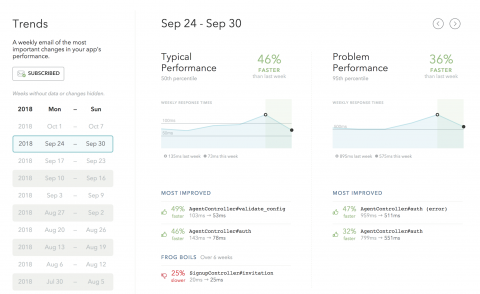
Skylight’s latest update to Trends allows users to easily view & navigate through their historical trends data from within the Skylight UI. Seasoned Skylight users know that there is something special about opening up your email inbox on Monday mornings: why, getting to read your Skylight trends report, of course!
Our friends from the Max-Planck-Institut for Marine Mikrobiologie kindly sponsored that acknowledgement notifications are now sent only to users which have been notified about a problem before – thanks a lot. Another sponsor asked for more child options for the ScheduledDowntime which are now released in 2.10.
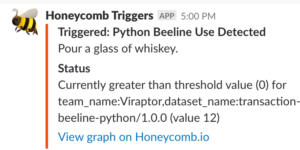
When we release something new, whether it’s a new SDK or Beeline or a new feature in the UI, we’ll often set a Honeycomb Trigger to keep track of its use. Sometimes we don’t necessarily have a customer we know is immediately going to use the feature in question, and we’re interested in when it happens.
Grant Glading, Head of Sales and Marketing at Interlink Software, on moving to the cloud without losing visibility of performance and service health.
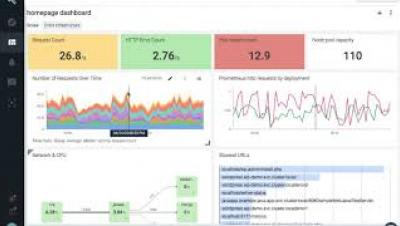
Grafana v5.3 brings new features, many enhancements and bug fixes. This article will detail the major new features and enhancements.
In part three of this series, we showed you a number of methods and tools for accessing key metrics and logs from a Pivotal Cloud Foundry deployment. Some of these tools help PCF operators monitor the health and performance of the cluster, whereas others allow developers to view metrics, logs, and performance data from their applications running on the cluster.
So far in this series we’ve explored Pivotal Cloud Foundry’s architecture and looked at some of the most important metrics for monitoring each PCF component. In this post, we’ll show you how you can view these metrics, as well as application and system logs, in order to monitor your PCF cluster and the applications running on it.