Operations | Monitoring | ITSM | DevOps | Cloud

Understanding JavaScript Performance with Flame Charts

Learn how to decode flame charts in this essential Concepts of Web Performance tutorial with Todd Gardner from Request Metrics. Perfect for entry-level web developers, this quick guide demystifies the intimidating flame charts found in Chrome DevTools that visualize your browser's main thread activity. Discover how to identify performance bottlenecks by understanding the color-coding system—gray for browser tasks, blue for HTML parsing, purple for layout and paint operations, dark yellow for script compilation, and light yellow for JavaScript execution.

Implementing OpenTelemetry in Angular - A Practical Guide

Angular applications often grow in complexity, making it challenging to monitor performance and troubleshoot issues effectively. Enter OpenTelemetry: a powerful, vendor-neutral framework for telemetry collection. This guide will walk you through implementing OpenTelemetry in your Angular projects, enhancing your ability to observe and optimize your applications.

Get Started with InfluxDB's JavaScript API

Time series databases are designed to store and analyze data collected at specified points in time. They’re essential for applications that handle huge amounts of continuously generated data, such as Internet of Things (IoT) devices, system monitors, and financial systems. InfluxDB, an open source time series database known for its outstanding performance and scalability, has gained popularity due to its capacity to manage large amounts of time-stamped data.

[Workshop] Fix Your Front-End: JavaScript Edition

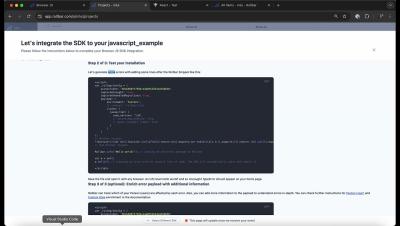
Hear from the team behind our JavaScript SDKs as they share practical tips to make debugging more tolerable. In this session we covered: Setting up and configuring Sentry for frontend projects How to trace frontend errors back to backend issues Analyzing web vitals to identify performance bottlenecks Using session replay for better user insights.

[Live workshop] Fix Your Frontend: JavaScript Edition

Join the team behind our JavaScript SDKs for a live session as they share practical tips to make debugging more tolerable. We’ll walk through everything from setting up and configuring Sentry to trace errors and identifying slow code. Whether you’re new to Sentry or a long-time user, there will be something for you. This session will cover: Setting up and configuring Sentry for frontend projects How to trace frontend errors back to backend issues Analyzing web vitals to identify performance bottlenecks Using session replay for better user insights.

How to check jQuery version in different environments

jQuery, a fast and lightweight JavaScript library, has been widely used in web development for over a decade. It simplifies tasks such as HTML document traversal, event handling, animation, and Ajax interactions, making it an essential tool for many developers. While jQuery has become less critical in the modern JavaScript ecosystem with the rise of native JavaScript methods and frameworks like React and Vue.js, many existing websites and applications still rely on it.

Top 6 JavaScript errors and how developers can fix them

JavaScript errors are every developer’s nightmare. They’re not just irritating—they can stop your project dead in its tracks. And let’s face it, whether you’re a seasoned pro or just getting started, you’re bound to encounter these mistakes. But why keep tripping over the same issues? At Raygun, we’ve seen it all when it comes to JavaScript errors, and we know which ones are the real time-wasters.