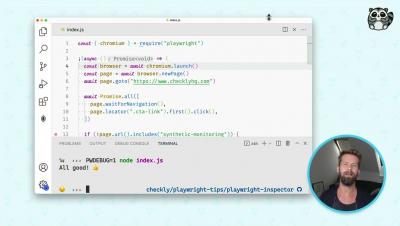
How to debug your Playwright scripts with the built-in inspector
Debugging a headless automation script can be tough. Luckily, Playwright comes with a built-in inspector tool to make all browser actions easier to debug.


Write enough programs, and you’ll agree that it’s impossible to write an exception-free program, at least in the first go. Java debugging is a major part of the coding process, and knowing how to debug your code efficiently can make or break your day. And in Java applications, understanding and leveraging stack traces can be the game-changer you need to ship your application quickly. This article will cover how to debug in Java and how Java stack traces simplify it.
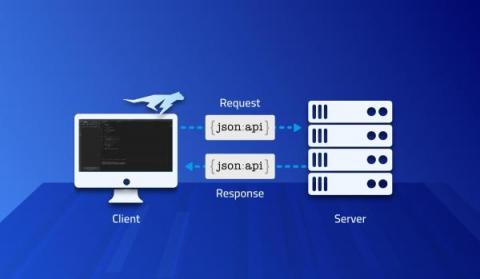
Parsing bugs are the gift that keeps giving in the age of APIs. We use a service; it works perfectly in debugging, QA, etc. Then some user input that made its way to the web request, returns a result we just can’t parse. Unfortunately, there isn’t much we can do at this stage. We need to understand why the failure occurred and how we can workaround it and fix it.
Say you have a new code base to study or picked up an open source project. You might be a seasoned developer for whom this is another project in a packed resume. Alternatively, you might be a junior engineer for whom this is the first “real” project. It doesn’t matter! With completely new source code repositories, we still know nothing… The seasoned senior might have a leg up in finding some things and recognizing patterns.
There are too few C/C++ testing libraries designed for embedded devices. The traditional libraries are not designed for constrained resources and rely on host functionality like a filesystem or standard output. In this post, I detail why I’ve decided to design a new testing library for microcontrollers and cover the rationale, design choices, and thoughts on the prototype. Like Interrupt? Subscribe to get our latest posts straight to your mailbox.
Python has become one of the most popular programming languages globally and is particularly popular in data science and artificial intelligence. Python’s popularity can be attributed to its ease of use and readability and the large ecosystem of libraries and frameworks built around it. Python is also popular among developers working on cloud-based applications, as they can use it to orchestrate complex workflows.