The latest News and Information on Service Center Operations Manager and related technologies.
Before we get into it, let’s get one thing straight, by SCOMaaS, I am in no way referring to Azure Monitor here. I truly mean that the SCOM Management Groups themselves would be hosted and managed by Microsoft SaaS style! This is the biggest announcement from the SCOM Product Team at SCOMathon 2020, for this single reason – it sets the direction on the future of SCOM as a product and clearly positions it along side Azure Monitor.
There where a raft of announcements at SCOMathon 2020 from Aakash Basavaraj from the SCOM Product Team and one of the most exciting things was a sneak peek at what to expect after SCOM 2019 UR2 is out of the door: PowerBI Dashboards – being developed in partnership with Silect, experts in this area, this will be launched in SCOM 2019 UR2. No info was given on what to expect here, but as Silect’s PowerBI dashboards are already public, we expect this to look similar.
Aakash Basavaraj, Program Manager in the SCOM Team at Microsoft, showcased their latest plans at SCOMathon 2020. So, what can we expect to see on SCOM’s roadmap in 2020? There will be some standard bug fixes for SCOM 2016 to keep this version ticking over, but for all of you planning to upgrade, the great news is the next rollup of SCOM 2019 is where the SCOM Product Team are focussing their efforts.
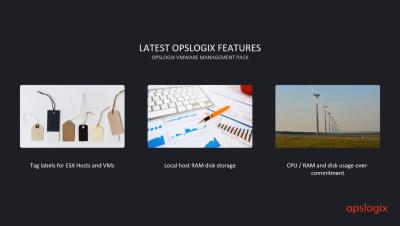
The SCOM 2019 UR2 feature list is clear (read our blog on it here), but what have the Microsoft SCOM Team got planned for MP development? After all what is SCOM without its MPs? Aakash Basavaraj – Program Manager at Microsoft, gave us a heads up on their plans, during SCOMathon 2020 and recapped the key features from the latest MPs.
RE-POST: This blog is bought to you by Lydia Shu – Content Writer @Squaredup To our SCOM Community – thank you for making the first worldwide virtual SCOM event such a huge success! As co-hosts of SCOMathon 2020 that took place last week, we are happy to have provided a platform for the SCOM community to get together, learn and connect.
In the Azure Monitor Learning Path, we talked about metrics and collecting data in a Log Analytics workspace to be operated on with KQL. As a part of it, we also talked about Monitoring Solutions and how they help you collect data into the workspace that is more focused for specific purposes. In that series, our main focus was on the Log Analytics Agent and I briefly talked about Diagnostics extension.
Looking to get some REST endpoints monitors quickly? Follow the below steps to setup a could REST monitors in about 15 minutes (weather in this demo).