Operations | Monitoring | ITSM | DevOps | Cloud

Use SRE principles to monitor pipelines with Cloud Monitoring dashboards

Data pipelines provide the ability to operate on streams of real-time data and process large data volumes. Monitoring data pipelines can present a challenge because many of the important metrics are unique. For example, with data pipelines, you need to understand the throughput of the pipeline, how long it takes data to flow through it and whether your data pipeline is resource-constrained.

How the Jsonnet-based project Tanka improves Kubernetes usage

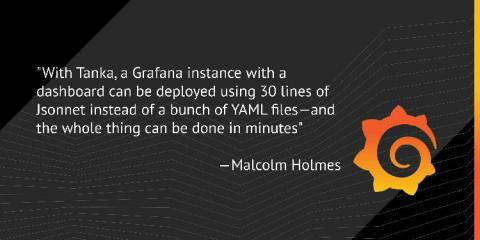
At FOSDEM 2020, Grafana Labs software engineers Tom Braack and Malcolm Holmes explained how and why the team developed Tanka, a scalable Jsonnet-based tool for deploying and managing Kubernetes infrastructure. They also shared how Grafana Labs leverages the project to manage and monitor its own infrastructure as well as showcased how Tanka makes deploying a Grafana instance faster and more efficient.

11 ITIL Service Desk Best Practices to Supercharge your Service Delivery

A service desk is the nerve center for all activities related to IT service delivery. It’s at the forefront of all interactions an organization has with its requesters. Implementing a service desk involves processes, workflows, and domain knowledge. That’s why most people stick to a framework when setting up a service desk. Learn more about the most popular ITSM framework. A service desk comes with numerous challenges that can be overcome if you are aware of the best practices.

Making a Big GDPR CCPA Issue a Small One

British Airways, now there is a big GDPR issue. 500,000 people were affected over 15 days. Reputation damaged, untold revenue lost and a $230 million dollar fine and that is before any damages are paid. In my former life, I thought GDPR was a boring tick box exercise, it really could not be further from the truth. It is a scare your pants off ride, one that needs to be taken very, very seriously. Your company’s existence is at stake.

Troubleshooting complex applications faster

With the advent of the cloud and microservices, application architectures have become complex, and monitoring their performance is critical in protecting your business' bottom line. To troubleshoot performance problems quickly and achieve a reduced mean time to detect (MTTD) and mean time to resolve (MTTR), the use of an application performance monitoring (APM) tool is invaluable.

Monitoring Kubernetes with Datadog

If you’ve read Part 3 of this series, you’ve learned how you can use different Kubernetes commands and add-ons to spot-check the health and resource usage of Kubernetes cluster objects. In this post we’ll show you how you can get more comprehensive visibility into your cluster by collecting all your telemetry data in one place and tracking it over time.

Collecting metrics with built-in Kubernetes monitoring tools

In the previous post in this series, we dug into the data you should track so you can properly monitor your Kubernetes cluster. Next, you will learn how you can start inspecting your Kubernetes metrics and logs using free, open source tools. In this post we’ll cover several ways of retrieving and viewing observability data from your Kubernetes cluster.

Monitoring Kubernetes performance metrics

As explained in Part 1 of this series, monitoring a Kubernetes environment requires a different approach than monitoring VM-based workloads or even unorchestrated containers. The good news is that Kubernetes is built around objects such as Deployments and DaemonSets, which provide long-lived abstractions on top of dynamic container workloads.

Monitoring in the Kubernetes era

Container technologies have taken the infrastructure world by storm. Ideal for microservice architectures and environments that scale rapidly or have frequent releases, containers have seen a rapid increase in usage in recent years. But adopting Docker, containerd, or other container runtimes introduces significant complexity in terms of orchestration. That’s where Kubernetes comes into play.

Best practices for tagging your monitors

Tags provide critical context for troubleshooting issues across any dimension of your environment. By applying best practices for tagging your systems, you can efficiently organize and analyze all your monitoring data, and set up automated multi alerts to streamline alerting workflows. Similar to any tags you would add to your services and infrastructure, monitor tags—tags that you apply to your monitors—are an essential feature for organizing and simplifying your workflows.