Operations | Monitoring | ITSM | DevOps | Cloud

Microsoft 365 backup best practices: A practical guide for IT teams

Microsoft 365 plays a critical role in modern business communication and collaboration with services such as Exchange Online, SharePoint Online, and OneDrive for Business. However, many organizations overestimate Microsoft 365’s native protection and recoverability. In reality, Microsoft 365 operates under a shared responsibility model. While Microsoft ensures infrastructure availability and uptime, organizations are responsible for protecting and recovering their data.

FinOps KPIs for IT Infrastructure: A Practical Field Guide for Cost Visibility

Infrastructure cost visibility has become a critical part of IT decision-making. Performance still matters, but for many infrastructure leaders, that’s no longer the full conversation. Leadership teams increasingly want clarity around cost movement, upgrade exposure, underutilized resources, and whether infrastructure decisions are financially defensible. That creates a different requirement for operations teams: visibility that connects technical behavior to business impact.

Everything We Talked About at O11yCon 2026

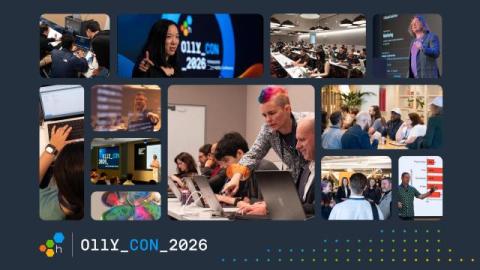
We just wrapped O11yCon 2026, and this year's conversations hit differently. Agent-based software development is here, now. It's no longer an optional choice, and everybody is struggling to understand what their agents are doing and how to make them cost less and perform better. Over the course of fifteen talks, we saw clearly that the old assumptions on how and who (or what) writes our software has been upended. Here are some highlights. We'll have videos available in the near future.

You don't need to pick one: how Sentry and OpenTelemetry work together

You already instrumented the backend with OpenTelemetry. Your services emit spans. Your teams know the OTel APIs. Maybe you already run a Collector. So when you start evaluating Sentry, the obvious question is: Do you need to replace your OpenTelemetry setup with the Sentry SDK? No. The practical answer is usually: keep OpenTelemetry where it already works, add the Sentry SDK where it gives you more application context, and send OpenTelemetry Protocol (OTLP) events to Sentry.

Builder in the loop: Eric Lake on making AURA smarter after every incident

Builder in the Loop is a Mezmo interview series focused on the engineers, product leaders, and operators shaping AURA, an open-source, MCP-native agent harness for production operations. The goal is to get past the polished product layer and talk through the decisions that matter when AI starts interacting with real systems. Key questions include: What should agents be allowed to do? How do they get better over time? Where should humans stay in the loop?

Investigate funnel drop-offs with Product Analytics

For most product teams, funnels are a staple of the analytics toolkit despite a frustrating limitation. You can see which step users are dropping off at, but understanding why requires hours of manual slicing across segments, separate comparison views, and a lot of trial and error before you land on a useful hypothesis. And even when you find something meaningful, taking action typically means jumping to another tool, building a new segment, or filing a request with a data team.

Best Cron Job Monitoring Tools in 2026 [25 Analyzed, Top 5 Picks]

The best cron job monitoring tools are Hyperping (cron monitoring, uptime, on-call, and status pages at a flat rate), Healthchecks.io (free open-source heartbeat monitoring), Cronitor (schedule-aware cron analytics), Better Stack (monitoring with integrated logs and incidents), and UptimeRobot (budget-friendly uptime with basic heartbeat checks).

Spend less time on repetitive tasks with the new automation feature in Grafana Assistant

The ability to schedule regular tasks, such as cron jobs, has been around for decades. So why are we still running the same AI prompts by hand every day? As you use Grafana Assistant, our AI-powered observability agent, to stay on top of the state of your system, you likely find yourself asking the same questions. Maybe you want to know what changed overnight, or whether yesterday's deployment hurt latency, or which dashboards or skills are drifting out of date.

The inside scoop on alerting changes in Kubernetes Monitoring

Kubernetes Monitoring in Grafana Cloud comes out of the box with preconfigured alert rules that notify you about issues like CPU throttling, crash-looping pods, and nodes going offline. These rules are installed automatically when you set up the app, and they start evaluating immediately. But if you've recently reinstalled the Kubernetes Monitoring app and your alert notifications stopped arriving, or started looking different, you're not alone.