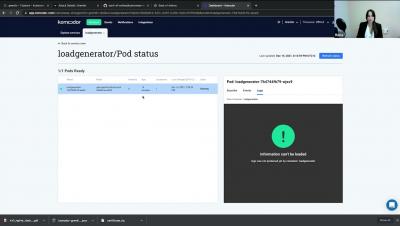
What are Kubernetes experts saying about Komodor?
Komodor is by devs for devs, so we couldn’t be more grateful to get the thumbs up from the Kubernetes dev community!


The latest News and Information on Containers, Kubernetes, Docker and related technologies.
To celebrate this new year, Qovery's blog highlights some of the top blog posts Qovery's engineers wrote during 2021 that you should read for 2022. Take a look at the top 10 posts published in 2021.
Troubleshooting container connectivity issues and performance hotspots in Kubernetes clusters can be a frustrating exercise in a dynamic environment where hundreds, possibly thousands of pods are continually being created and destroyed.
As a developer, using Heroku (a Platform as a service (PaaS)) helps get our applications up and running quickly. Without worrying about servers, scaling, backup, network, and so many underground details. Heroku is the perfect solution to start a project. But as the project grows, the needs become more complex, and moving from Heroku to Amazon Web Services (AWS) becomes more and more a no-brainer choice (discover why so many CTOs decide to move from Heroku to AWS).
2021 has been an interesting year for the Kubernetes and cloud native ecosystem. Due to the pandemic, cloud adoption saw a big spike in adoption. As the year wraps up soon, we wanted to reflect on the top findings from the Kubernetes and cloud native operations report and we have a cool infographic for you. The new version of the report for 2022 is due some time in January so stay tuned!
TLDR; Pleco is a service that automatically removes Cloud managed services and Kubernetes resources based on tags with TTL. When using cloud provider services, whether using UI or Terraform, you usually have to create many resources (users, VPCs, virtual machines, clusters, etc...) to host and expose an application to the outside world. When using Terraform, sometimes, the deployment will not go as planned.
Looking at where major DevOps trends are headed, a common theme across many tools and practices is improving the Developer Experience or DX. One paradigm of thinking is that if you improve your internal customer experience, then your external customers will benefit too. However, up until now, the Developer Experience has been quite siloed and segregated for a multitude of reasons, such as scaling or having best-of-breed technologies to support individual concerns. Presentation on DX.