

Operations | Monitoring | ITSM | DevOps | Cloud

Is AI Improving Incident Response for MSPs? Here's How to Tell

A monitoring tool flags that a client’s order-processing system is down. AI groups related alerts, pulls recent changes into a summary, and attaches it to a ticket. That can save a technician time. But if the ticket sits in a shared queue while orders pile up, the client is still waiting for a response. The test of AI in IT managed services is what happens between the first signal and the moment someone takes ownership.
Incident Commander Role: Responsibilities and Checklist

The incident commander is the one person in an incident whose job is not to fix the problem. They coordinate: they decide who works on what, keep the response moving, own communication, and make the calls nobody else is positioned to make. Teams that name an incident commander early recover faster and argue less, because the most expensive thing in a serious incident is usually not the bug. It is five capable engineers each doing something reasonable with no one deciding which of those things matters.

Alert escalation policies: templates for IT teams

Every IT team has a version of the same problem: an alert fires, and the right person never sees it. The cause is rarely the monitoring tool. It is usually a routing rule that was accurate when someone wrote it and has quietly drifted out of date since. People change shifts, swap rotations, and leave the company, but the escalation chain keeps pointing at the old contacts. An escalation policy that routes to a static list fails the moment that list goes stale.

Incident response vs on-call management: what actually differs

Your monitoring tool detected the fault at 2 a.m. The on-call engineer never saw it. The incident response process never started. That gap between detection and acknowledgment is where most incident response timelines break, and it happens because teams conflate two distinct disciplines: incident response, which owns the what and why of a critical event, and on-call management, which owns the who and when.

The IT butterfly effect: 5 tips to prevent small changes from triggering massive disruptions

Top tips is a weekly column where we highlight what’s trending in the tech world and share ways to stay ahead. This week, we're looking at the butterfly effect in IT and how seemingly minor changes to your infrastructure can trigger unexpected disruptions, along with ways to minimize the risks and keep things running smoothly. What does a butterfly flapping its wings have to do with your IT infrastructure? Quite a lot, actually.

AI SRE vs AIOps: Key Differences and When to Use Each

AIOps and AI SRE both bring AI into IT operations, but they work at different stages of an incident. AIOps watches the stream of alerts, logs and metrics and cuts it down to the few signals that matter. AI SRE picks up a single incident and investigates it to find the root cause. The two often run side by side, with an on-call engineer making the necessary calls. For a while, I mixed up AIOps and AI SRE. Both have “AI” in the name and both talked about calmer on-call shifts.

How do you prove an AI saved you an hour?

How do you prove an AI actually helped resolve an incident? How do you know it got the right answer, and got there before a human did? And how do you show its working without burying a responder in AI slop at 3am? We chat to Allie, who's worked on Investigations and Nexus, about turning scrappy internal tools into dashboards customers can trust: measuring the moment of diagnosis, telling the story behind the numbers, and why everyone building AI products is figuring it out as they go.

Incident response software: a buyer's guide for 24/7 IT teams

Most outages don’t last because the fix is hard. They last because the right person never hears about the problem. An alert that lands in a crowded inbox or on a silenced phone is just noise, and every minute it goes unanswered adds to your downtime. We close that gap.

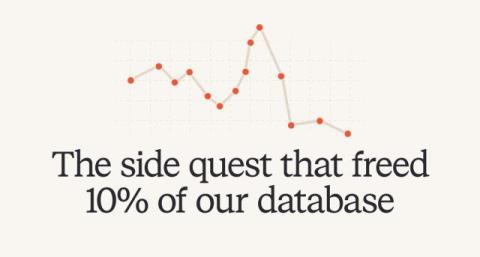
The side quest that freed 10% of our database

This is how we took a single query from using 34% of our DB cpu time to just 0.3%, all in the gaps between doing what we were supposed to be doing. I joined incident.io's Reliability Engineering team 5 weeks ago (at the time of writing). One of the things that came up as a non-P0 reliability concern was that the CPU on the main DB's replica was a little higher than we were entirely comfortable with.