Operations | Monitoring | ITSM | DevOps | Cloud

7 Best Practices for Data Visualization

A look at best practices, no-code and low-code platforms you can use, common visualization types, criteria for good data visualization and more. Organizations regularly generate an overabundance of data that is essential for decision-making. Data visualizations play an important role in helping people understand complex data and observe patterns and trends over a period of time.

How to extract label values from Prometheus metrics in Grafana

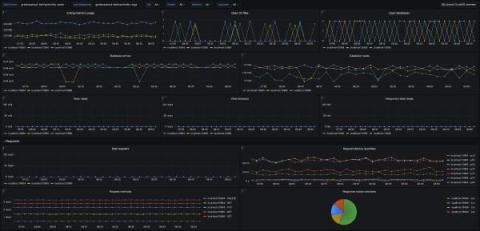
Prometheus metrics are usually visualized as numeric values on a graph, with the metrics categorized by labels. But what do you do when the numerical value doesn’t matter, and all of the information is in the labels? In that case, you might need to visualize the labels themselves. This scenario can arise because you’re not always in control of how the metrics get reported, but you do often need to visualize what’s there.

Best Practices for Our Custom Dashboards

Custom dashboards are essential tools in the data-driven world for businesses, organizations, and individuals. They provide an interactive and comprehensive representation of data, making it easier to identify trends, patterns, and outliers. Custom dashboards are highly customizable, allowing users to select the most relevant data sources, visualizations, and metrics to meet their specific needs.

How Wells Fargo modernized its observability stack with Grafana Enterprise and Grafana Cloud

Think of a monitoring tool — any monitoring tool. Got it? Good. Odds are, whatever came to mind was probably being used behind the scenes at Wells Fargo not too long ago. “You name it, and we probably had it at Wells Fargo,” said Senior Software Engineering Manager Nikhilesh Tekwani of the complex web of observability solutions that stretched across the U.S.-based financial institution.

10 Best Grafana Alternatives

Grafana is a powerful open-source data visualization platform created by Torkel Ödegaard in 2014. With its front-end written in Typescript and a Golang back-end, this data monitoring platform allows users to create and share interactive and dynamic dashboards with custom charts and panels using data from various sources, including InfluxDB, Prometheus, Elasticsearch, and many others. Template variables are also available as dropdown options to create dynamic and reusable dashboards.

How to Create a Dashboard in Kibana

Wondering how to create a dashboard in Kibana to visualize and analyze your log data? In this blog post, we’ll provide a step-by-step explanation of how to create a dashboard in Kibana. You’ll learn how to use Kibana to query indexed application and event log data, filter query results to highlight the most critical and actionable information, build Kibana visualizations using your log data, and incorporate those visualizations into a Kibana dashboard.

The Best Graphite Dashboard Examples

Graphite provides time-series metrics in an open-source database. With Graphite dashboards, you can see key performance indicators (KPIs) as well as other metrics visually. Dashboards typically display data as graphs, charts, and tables and can be customized to meet the specific needs of an organization. Using dashboards, organizations can monitor and analyze various aspects of their performance, such as system utilization, application performance, and resource utilization, using web interfaces.