Operations | Monitoring | ITSM | DevOps | Cloud

What is PHP memory leaks? How can you detect and resolve with APM?

According to the 2025 PHP Trends Report, 31% of developers cited performance bottlenecks as a recurring issue and PHP memory leaks were among the top culprits identified by DevOps teams working with high-traffic applications. Imagine you're shipping an app that’s humming along smoothly during QA. But weeks after going live, you start noticing creeping latency and irregular job failures. You dig into the logs, tweak some queries, but the issue persists.

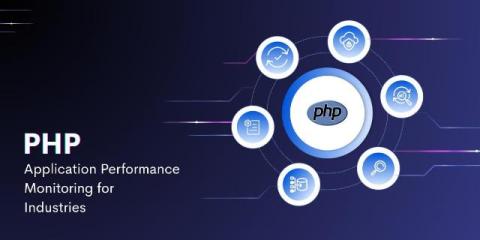
What Makes PHP Application Monitoring Tools Essential for Leading Industries?

PHP is one of the most widely used scripting languages for web development. From e-commerce platforms to government portals, PHP powers a large share of the web. However, as web applications grow in complexity, user expectations also rise. Slow page loads, broken features, or unresponsive sites can lead to lost revenue, lower engagement, and frustrated users.

PHP Monitoring Best Practices for Developers, DevOps, and SREs

In 2025, PHP still powers over 75% of the web from ecommerce platforms like Magento to CMSs like WordPress and Laravel-powered web apps. As user expectations rise and digital experiences become mission-critical, real-time PHP monitoring has moved from a luxury to a necessity. According to Statista, PHP continues to rank in the top 10 most-used programming languages globally. Despite the popularity of modern stacks, legacy and modern PHP coexist in thousands of production environments.

A guide to PHP exception handling

In most object-oriented languages, exceptions are an extremely powerful mechanism for dealing with unexpected situations that arise when running your code. PHP has supported robust exception handling since PHP 7.0. As you begin your programming journey, exceptions are a source of tremendous pain. Over time, you grow to appreciate the value they bring.

OpenTelemetry PHP: A Detailed Implementation Guide

Monitoring complex PHP applications can be challenging. When systems span multiple services and environments, traditional logging approaches often fall short. OpenTelemetry offers a solution - an open-source, vendor-neutral framework that standardizes how we collect and export telemetry data. This guide covers practical implementation steps for DevOps engineers working with PHP applications.

Laravel just works. Now your performance monitoring does too.

You remember that first time spinning up a Laravel app? Routes, auth, ORM, queues, all wired up without much effort. It’s one of the reasons Laravel feels productive out of the box. But when something starts slowing down, an Eloquent query drags, a job takes forever, or cache misses creep up, it’s not always obvious where to look. Laravel gives you the tools, but connecting the dots between them is usually on you.

Monitor and Debug Laravel Applications with Sentry

Join me for a hands-on workshop where we'll debug real-world issues in a Laravel and React application using Sentry. We'll tackle three common production problems: You'll learn how to use Sentry's powerful tools including: Performance monitoring and tracing Error context enrichment Seer AI for root cause analysis Session Replay and Breadcrumbs By the end, you'll be equipped to debug complex issues in your own applications with confidence!

How to Improve Performance in PHP

PHP apps can be deceptively simple — until something starts slowing down. Maybe it’s a page load that takes a few seconds too long, or maybe your server costs are creeping up without a clear reason. That’s where performance monitoring comes in. In this guide, we’ll walk through how to monitor and improve the performance of a PHP application. You’ll learn how to use profiling and tracing to identify bottlenecks in your code, and how to optimize your app.