Laravel vs Symfony: PHP Framework Comparison
Choosing a good PHP framework provides the right building blocks to make developing your app a breeze. Today we’re going to look at two PHP frameworks: Laravel and Symfony.
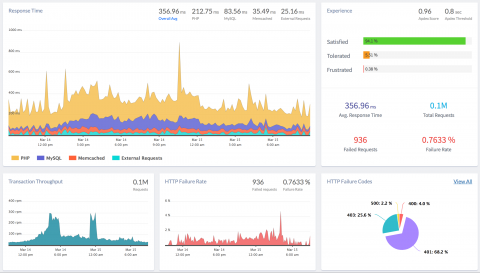
With PHP Monitoring, you can identify bottlenecks in your PHP application and optimize your users’ experience. If there is a delay in the page loads, or if the API request takes longer than the actual time, the PHP monitoring will help you to track and identify the anomalies, the slowest functions, database queries, external requests causing the delays.
If you’ve done web development in the past decade, you’ve probably heard about the Personal Home Page (PHP) programming language. Some love it — some don’t. The fact is that PHP is one of the most used programming languages for web development. While you probably don’t script together your Personal Home Page these days, many PHP frameworks, like Laravel and Symfony, are still gaining popularity and others are well established.
Since its release in 1995, PHP has been one of the most popular server-side languages for building web applications. It supports a wide range of web servers, databases, and operating systems. PHP developers use popular frameworks like Laravel, Symfony, and Zend to deploy and manage sites that serve high volumes of traffic. To help you monitor PHP performance, identify bottlenecks, and optimize your users’ experience, we’re pleased to announce APM & distributed tracing for PHP.
As applications are getting more complex, it’s becoming harder to deliver high-quality applications. Tools like Application Performance Monitoring (APM) are essential for the development process. To get good performance data, developers need to deal with the rising trends of containerization, microservices, heterogeneous cloud services, and big data.
PHP is one of the most popular server-side scripting languages for building web applications because it’s easy to use. No matter what you build, making it easy to log errors is key to ensuring a short code-test-learn feedback cycle.
When developing PHP applications, error logs tend to be underutilized due to their apparent complexity. The reality is that PHP error logs are extremely helpful, especially when configured and used properly. While there are advanced tricks to truly squeeze every last drop of utility out of error logs, this article will cover the basics of configuration and the most common use cases so you can get up and running quickly.
Creating a website from scratch requires a lot of work, which is often tedious. In several cases, you will need to recreate the functionalities that you have built thousands of times. This recreation of functions is equal to reinventing the wheel. This is where software frameworks come handy, you can utilize such frameworks as the foundation for you application and build your program upon it.
If you use PHP or you find yourself “adopting” a PHP app (like I did a few years ago), you must know how to debug PHP. In this detailed guide to PHP debugging, you’ll see some debugging techniques that apply to almost any programming language. But don’t worry. I’ll get into the specifics that apply to PHP, from the basics all the way to fully integrated debugging techniques. Let’s start with a basic technique in PHP debugging: outputting and logging values.
When developing PHP applications, error logs are under-used because of their apparent complexity. PHP error logs are helpful, especially when configured and used properly. While there are advanced tricks to truly squeeze every last drop of utility out of error logs, this article will cover the basics of configuration and the most common use cases so you can get up and running quickly.