Operations | Monitoring | ITSM | DevOps | Cloud

The latest News and Information on Status Pages and related technologies.

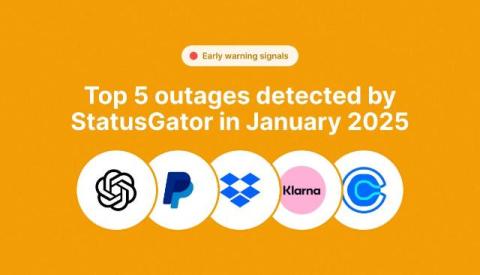
Top 5 IT outages detected by StatusGator

StatusGator is the world’s best status page aggregator: We aggregate the status of thousands of cloud services and hosted applications from their official status pages. But everyone knows official status pages are often behind and in those critical moments before the status page is updated, you might be thinking “Is it just me? Or is it really down?” StatusGator’s Early Warning Signals solves that by alerting you before providers even acknowledge the incident.

Best Practices for Choosing a Status Page Provider

Downtime is inevitable but what sets successful businesses apart is how they handle it. A key part of incident management is incident communication with both internal and external stakeholders. A status page is a crucial tool for maintaining clear communication with users during outages or service interruptions. There are numerous status page providers available with different features. This article will guide you through best practices for selecting a provider that suits your needs.

Status page selector: Switch between status pages

We’re excited to announce a new feature designed for our customers with multiple boards and status pages – introducing the Status Page Selector! Now, users can switch between different status pages directly from a single page. This is especially useful for companies that need separate status pages for different products, departments, or teams.

How SRE Teams Manage Downtime with Slack War Rooms

Site Reliability Engineering (SRE) teams play a very important role in ensuring that digital services remain operational. However, at times, they can face certain incidents and outages, which are inevitable for any complex system. During these disruptions, it is important to respond quickly and efficiently to reduce the impact on the organization and its users. This is where Slack War Rooms come into the picture. When an outage strikes, the clock starts ticking.

Introducing Ping Monitoring in StatusGator

We’re excited to announce a new addition to StatusGator’s robust monitoring suite: Ping Monitoring. Along with service and website monitoring, you can now set up ping monitors to check the status of your network or other critical infrastructure. This new feature gives you more ways to ensure your systems are running smoothly by adding lightweight, real-time checks of systems that are not web-based.

Learn How Slack Helps SREs Stay Ahead of Service Disruptions

Site Reliability Engineers (SREs) are crucial for the smooth delivery of online services. Their job is to ensure that systems are reliable, available, and efficient. But when things go wrong, they’re the ones who jump into action to fix issues as fast as possible. And with modern systems being as complex as they are, managing service disruptions can be quite a challenge. This is where Slack comes in. It’s more than just a chat tool.

Outages, privacy, and cybersecurity worries: Insights from our K12 technology survey

Ever wondered what keeps K12 IT professionals up at night? Outages, technology changes, and device management are just the beginning. Our survey reveals the real struggles of K-12 IT staff. With responses from 51 experts, we dive into their biggest concerns and emerging trends. Discover what keeps them busy and how they’re adapting in a rapidly evolving tech landscape.

Best Incident Management Software Tools For B2B, SaaS, and Startups In 2024

In the fast-paced and highly competitive world of B2B, SaaS, and startups, staying ahead of potential issues and managing incidents swiftly is critical to maintaining customer trust and operational efficiency. Incidents can disrupt services, impact users, and damage a company's reputation, so it’s essential to have a reliable incident management process in place.

Status page dark mode logo, now available

We’ve added a new option to help you customize your status page even further – you can now upload a separate logo specifically for dark mode! This ensures your logo looks great, no matter which theme your users are viewing. To set this up, simply go to the Status Page Settings and head to the Appearance section. There, you’ll find the option to upload a logo tailored for dark mode.