Operations | Monitoring | ITSM | DevOps | Cloud

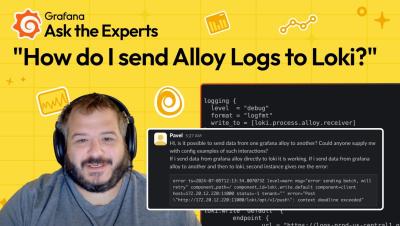
How to Send Grafana Alloy Logs to Grafana Loki | Ask the Experts | Grafana

In this video, Matt Durham, Sr. Software Engineer on the Grafana Alloy team, shows you how to send Grafana Alloy logs to Loki. Specifically, we address the question: "Is it possible to send data from one Grafana Alloy to another? Could anyone supply me with config examples of such interactions? If I send data from Grafana Alloy directly to Loki, it is working. If I send data from Grafana Alloy to another, and then to Loki, the second instance gives me an error.".


Azure API Management and Generative AI - What's Next?

Andrei Kamenev, a member of the API management team at Microsoft, discusses the relationship between generative AI and API management. He explains that API management can be important in an architecture that uses generative AI, as it helps to solve challenges such as token usage, rate limiting, and load balancing.

Zebra Print App Tutorial | Zebra

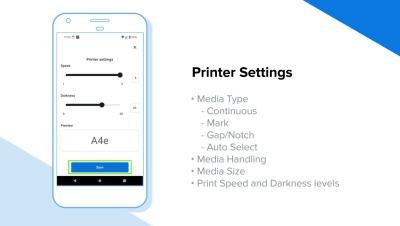
Designed with an intuitive interface, Zebra Print combined with the Android print service framework, allows you to print PDFs, images, and other documents directly from your applications. Zebra Print requires no developer intervention or additional apps or programs, so it will easily integrate into your workflows. This video shows you how easy it is to find and add a printer and then print a document using Zebra Print.

How to View Your Pyroscope Data in OSS and Grafana Cloud Profiles | Ask the Experts | Grafana Labs

"I have provisioned Pyroscope OSS. Everything seems fine. Is there a way to install Pyrocsope UI to get more enhanced views? Or is the UI part of Pyroscope Cloud?" To kick off our new "Ask the Experts" series, Ryan Perry, Co-founder of Pyroscope and Director of Engineering at Grafana Labs answers the question by showing you how to view your Pyroscope data in both OSS and Pyroscope Cloud. He also hints at some new UI features in the Pyroscope roadmap for OSS that we think you'll love.

Hyperview DCIM 4.5 Software Release: Carbon Footprint Reporting

Version 4.5 introduces a new add-on feature, Carbon Footprint Reporting that lets you keep an eye on the carbon footprint of any location with ease. Dive into the details of rack workloads, assess how your average offset percentages are shaping up, and get specific insights for each location. Plus, we've added a sleek dark mode option for Hyperview, introduced two fresh dashboard widgets, and rolled out a bunch of improvements to enhance your experience.