Operations | Monitoring | ITSM | DevOps | Cloud

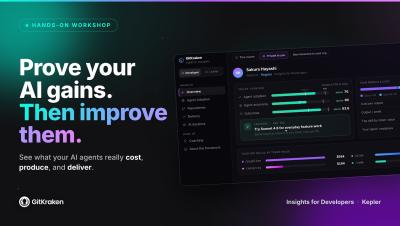
GitKraken Insights | AI feels faster. Make sure it is.

AI feels faster. Make sure it is. GitKraken Insights shows engineering leaders the real cost, output, and ROI of their AI investment, per tool, per team, per developer. Then it gives every developer their own data and coaching to get more from it. 84% of developers say they feel more productive with AI. Only about one in five can actually measure the impact.* With GitKraken Insights, you can: We run on it ourselves: GitKraken's own engineering org reached 2.53x output in six months.

The 5 Stages of AI-Human Collaboration to Improve Operational Reliability

AI adoption is now a measurable driver of both uptime and growth. According to PagerDuty’s 2026 State of AI-First Digital Operations report, 75% of organizations actively incorporating AI into digital operations claim to have improved operational resilience and maturity over the past year. The same report suggests AI in operations is also a revenue driver.

SSL Certificate Expiry Alerts in Slack

Certificate expiry is the most predictable outage in all of infrastructure. The date is printed inside the certificate. You can read it ninety days ahead. Nothing about it is a surprise, and yet SSL certificate expiry alerts remain one of the most common gaps in otherwise mature monitoring setups, and expired certificates keep taking down production systems at companies with serious engineering teams.

Google Calendar On-Call Rotation Template

Most teams building an on-call rotation template in Google Calendar get the first two steps right and the third one wrong. Creating a shared calendar is easy. Inviting the team is easy. Expressing "four people, one week each, forever, handing off Monday morning" as a set of recurring events is where it falls apart, usually into a mess of one off entries that someone has to rebuild by hand every quarter.

Cron Job Monitoring: Catch Silent Failures

Cron job monitoring is the part of observability most teams skip until a backup turns out to have stopped running three weeks ago. A web server that falls over generates errors, trips a threshold and pages someone inside a minute. A nightly job that quietly stops running generates nothing at all. There is no error rate to alert on, no latency spike, no failed health check. There is only an absence, and absence is invisible to almost every monitoring setup by default.

24/7 On-Call Coverage With a Small Team

Running 24/7 on-call coverage with a small team is first of all an arithmetic problem, and most teams avoid doing the arithmetic because the answer is uncomfortable. There are 168 hours in a week. Your engineers work roughly 40 of them. Somebody has to be reachable for the other 128, and if you have four engineers, that somebody is each of them, one week in four, thirteen weeks a year.

Incident Response Metrics Worth Tracking (Beyond MTTR)

Most engineering teams track exactly one incident response metric, and it is usually MTTR. It appears on the quarterly slide, it goes up or down by a few minutes, someone says "we need to bring that down," and nothing about the next incident changes. The problem is not that teams measure the wrong thing out of laziness. The problem is that incident response metrics are genuinely hard to design, and a single average duration is the easiest number to produce from an incident tracker.

How to Define Incident Severity Levels That Work

Incident severity levels exist for one reason: so that a responder who was asleep ninety seconds ago can decide, without debate, how many people to wake up. Everything else (the reporting, the SLA math, the quarterly review slides) is downstream of that one decision. If your scale cannot be applied in under thirty seconds by someone with partial information and no context, it is not a severity scale. It is documentation.

Automate PagerDuty Workflows in Slack

Most teams wire up PagerDuty Slack workflows in the shallowest possible way: an incident fires, a message appears in a channel, and a human reads it and then goes somewhere else to do the actual work. That is a notification, not a workflow, and it leaves most of the value on the table. The useful version automates the steps between the alert arriving and someone competent looking at it. Who gets assigned. Where the conversation happens. Who else needs pulling in.

How to Design an On-Call Escalation Policy That Works

An on-call escalation policy is the part of your incident response that runs when nobody is looking. It fires at 3:14am, decides who gets woken up, decides how long to wait before waking up somebody else, and decides when to stop trying. Most teams write one in an afternoon, wire it to a rotation, and never touch it again until an incident goes badly and the retro asks the uncomfortable question: why did it take forty minutes for a human to acknowledge?