Operations | Monitoring | ITSM | DevOps | Cloud

How to Turn Off GitKraken AI (GitKraken Desktop and Organization-Wide)

Let's talk about 2 ways to turn off GitKraken AI: for your own account in GitKraken Desktop, and for everyone in your organization from gitkraken.dev. Turn off GitKraken AI for your account (GitKraken Desktop) Turn off GitKraken AI for your organization (admins and owners) Optional: limit AI providers On the same Security controls page, under Enforce AI providers, turn off any provider you don't want your organization to use.

How to Resolve Git Merge Conflicts in 8 Easy Steps (2026)

A Git merge conflict happens when two branches edit the same line of code in different ways. Git can’t decide which version to keep, so it pauses the merge and asks you to step in. The longer a conflict sits unresolved, the harder it becomes to untangle. This guide walks you through eight clear steps to identify, fix, and verify merge conflicts during your branch merging workflow. GitKraken gives you a visual merge tool that turns this process from guesswork into a few confident clicks.

Best Code Review Collaboration Platforms for AI Teams

Your team ships more code than ever, but are your pull requests keeping pace? As AI-assisted development accelerates output, code review collaboration platforms have become the difference between shipping confidently and merging blindly. The right platform connects your review workflows, surfaces context where you need it, and keeps collaboration flowing across distributed teams.

GitKraken Desktop 12.6 Release: Stacked GitHub PRs, Multiple Terminal Tabs

Ready to interact with the stack? GitKraken Desktop 12.6 makes it easier than ever to ship large features and manage multi-task terminal workflows without context switching or losing track of your work. What's new in 12.6: Stacked GitHub Pull Requests: Start a pull request stack against a branch that already has an open PR to break large feature branches into smaller pieces. Stack Visibility Everywhere: View stack position, status, and sequence numbers across the Left Panel PR list, the Pull Request view, and the Commit Graph.

Best Version Control Platforms for Teams in 2026

Your distributed team just merged three branches at once, and the commit graph looks like a plate of spaghetti. Choosing the right version control platform determines whether that scenario ends in a five-minute fix or a full afternoon of detective work. GitKraken gives you a visual, cross-platform approach to Git that turns complex repository management into a clear, collaborative workflow.

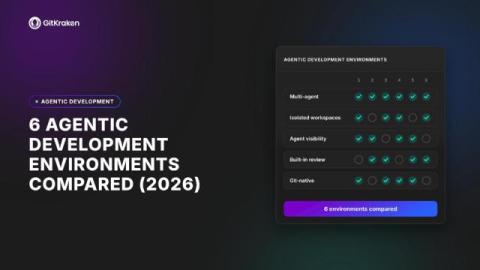
Best ADEs for Multi Agent Coding in 2026

Running one AI coding agent is productive. Running five of them at once across three repositories? That’s a coordination problem. Agentic development environments (ADEs) give you a single surface to orchestrate multiple agents, review what each one changed, and get code merged. Kepler by GitKraken is one of the most capable options in this growing category. It’s built around agent-agnostic orchestration and Git workflow control from backlog to merged PR.

6 Best Code Review Platforms for Jira Teams (2026)

Code review in a Jira-centric workflow can become a bottleneck fast. Pull requests pile up, context gets lost between your Git host and your issue tracker, and reviewers spend time switching tabs instead of reading code. The right code review platform should connect Git activity directly to the issues you’re tracking.

Models Are Getting Really Good At Git

I built GitBench because I was curious about how well models did git things. It turns out that it was a good idea because some models will surprise you. Some of the frontier models were remarkably bad and some cheap open models punched above their weight class. But, as they say, “the times they are a changin’”. Before I go too deep into the latest results, you may want to read up on GitBench and what it is and why I built it in the previous blog post.