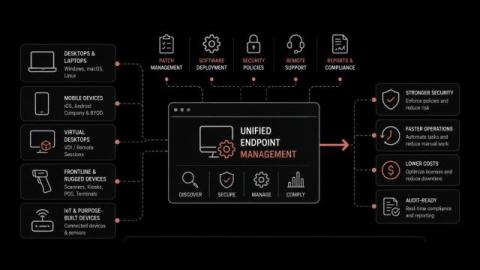
How much of your device inventory could you verify today without opening more than one console? Most IT teams can report what they purchased. Far fewer can say which of those machines are patched, encrypted, running approved software, and still checking in, because that answer spans several systems. Unified endpoint management consolidates those systems into one. Most IT teams inherit that split one platform at a time.
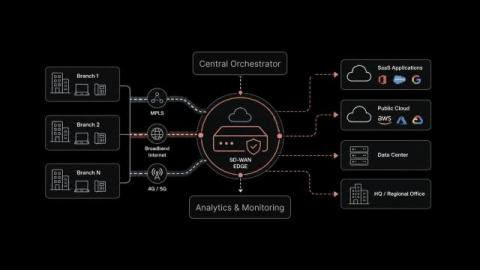
Why does one branch report unusable voice and video every afternoon while the WAN dashboard at head office shows every site green? Most network teams have fielded that escalation. The device responds, the tunnel status reads up, and application performance is still unacceptable. SD-WAN was built for the distance between a connection that responds and an application that performs.
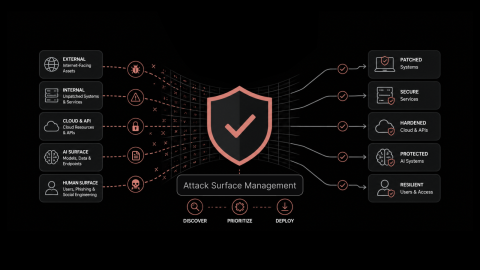
Your exposure list grows faster than your team can clear it. Security adds new findings every week, and your IT team gets to a fraction of them. Everything left over is a backlog an attacker can walk straight through, and buying another scanner will not shrink it. Most attack surface management programs live inside that gap. Finding exposures got easy. Closing them did not, and a queue nobody has time to work is where the risk quietly builds.
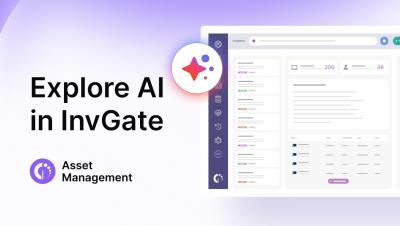
--- Most IT teams have more asset data than they know what to do with: devices, software, contracts, lifecycles, dependencies. The problem was never visibility. It's knowing what to act on. In this video, Matt Beran walks through four AI features inside InvGate Asset Management that are live right now and change how IT teams work with their IT inventory. You'll see how to: Together, these features turn Asset Lifecycle Management and hardware refresh planning from manual lookups into something the system surfaces on its own.
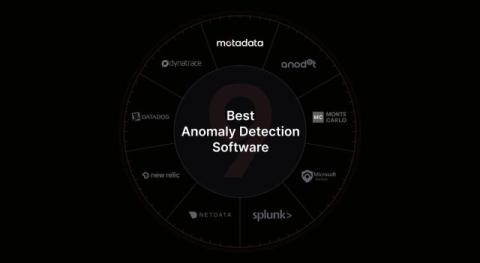
Does the anomaly you need to catch show up in infrastructure, in security logs, in a data pipeline, or in a revenue figure? If you already know the answer, you probably learned it from an incident. A service degraded quietly, nobody got paged, and the post-mortem showed the signal had been in the data for hours. The thresholds were set correctly, and they still could not separate a busy Tuesday from a failure.
Browser performance issues can disrupt productivity and create unnecessary frustration for employees. In Episode 2 of Eliminating Digital Friction with Nexthink Spark, see how Spark quickly investigates an unresponsive browser, identifies the root cause, and helps IT resolve the issue faster. Discover how AI-powered investigations enable proactive IT and deliver a better digital employee experience.
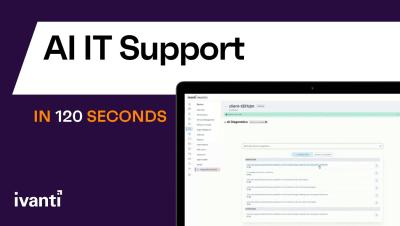
Empower your level-one analysts to resolve endpoint issues on the very first call — no escalation required. Ivanti Neurons Workspace delivers a 360-degree, real-time view of every device, user, application, and service in your IT estate. Learn more at ivanti.com.
AI is more than just a tool—it's a transformative experience for the modern workforce. But as employees "run fast" to adopt AI, a critical gap is forming between innovation and safety. In this video, Brooke Johnson, Ivanti’s Chief Legal Counsel and SVP of People and Security, discusses the "natural tension" between AI excitement and the necessity for responsible, secure implementation. With only 25% of employees reporting consistent policy adherence, the risk of "Shadow AI"—unsupervised tool use—has never been higher.
Slow, unresponsive applications create digital friction that impacts employee productivity and generates unnecessary IT tickets. In Episode 1 of Eliminating Digital Friction with Nexthink Spark, see how Spark identifies UI slowness, pinpoints the root cause, and helps IT resolve issues faster.