Operations | Monitoring | ITSM | DevOps | Cloud

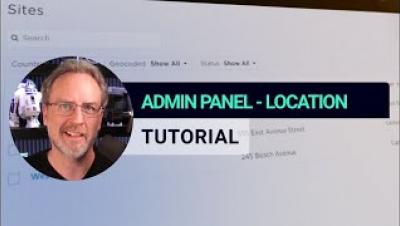
Admin Panel - Location Settings - xMatters Support

In xMatters, sites, and region settings represent physical locations like street addresses or geographic coordinates. Every user in the system belongs to a single site and it controls some default settings on their profile page, such as their language and time zone. Let’s take a dive into xMatters location settings.

Welcome To xMatters - Ep 1 - Connecting Your Tools

When help is needed, xMatters ensures the right message reaches the right people at the right time. Our service reliability platform gives teams the superpowers to choose from hundreds of free downloadable workflows, connect their favorite tools, and level up their incident response process so issues are fixed before they can impact customers.

Admin Panel - Custom User Properties - xMatters Support

You can use custom user properties to store additional information about people your organization. You can use this information to sort, find, and organize users, as well as to notify teams based on particular criteria, like a specific skill set. Custom user properties are configured in the Admin or Settings menu and appear as optional or required fields in each user's profile.

Admin Panel - General Settings - xMatters Support

You can define the details for a company using the General Settings page accessed via the Admin menu. Depending on your permission level, you may not be able to view the General Settings screen. In addition, the settings you see on this page depend on both your role permissions and the features available in your product plan.

Callable Flows - xMatters Support

In xMatters Flow Designer, you can use callable flows to initiate a major incident process in any workflow. Instead of including the same sequence of steps in each workflow, such as posting to a status page or opening a help desk ticket, you can build the sequence once as a separate workflow and then include that as a step in any of your workflows.

Signals Report -xMatters Support

The Signals report helps you evaluate signals to your xMatters instance from HTTP, App, Email, and Incident Initiation and Incident Automation triggers (as well as some legacy inbound integrations). The report displays the timestamp, status code, and authentication details for each signal, as well as the payload and any related incidents, where applicable. Processed signals include outputs from the trigger and a link to the associated workflow so developers can further evaluate each request using Flow Designer's Activity panel.
Sponsored Post

Areas to Streamline Incident Management

When a serious incident occurs, time is essential. Streamlining different components of the incident response and management process can help minimize the time it takes to resolve an incident. Proper streamlining also helps reduce downtime, restore functionality, and potentially curtail the overall impact of an incident-not to mention the costs incurred during these events. This article examines several areas of incident management, the potential challenges of manual implementation, and how an automation platform can alleviate these challenges to provide a streamlined incident response process.

The Fundamentals of Enterprise Incident Management

In the world of enterprise major incident management, integrating partial or full automation across each stage of the incident response and management lifecycle makes a big difference to the speed incidents are addressed and the data you have to understand them afterward. Gartner coined the term “Incident Response Automation” in its 2020 report Automate Incident Response to Enhance Incident Management.
How to Use Big Data to Your Advantage

Users have been generating increasing amounts of data in the past few years, partly due to rapid digitalization since the pandemic. As a result, increasing numbers of analytics applications are capitalizing on these data assets. However, building scalable systems is no trivial task and incidents are inevitable. Complex systems generate data in the form of logs, traces, metrics, and more, which organizations often find themselves sprinting through. Such logs are a powerhouse of valuable information.

ServiceNow Integration - xMatters Integrations

Looking to extend the value of your existing applications? The xMatters and ServiceNow integration allows organizations to accelerate IT incident response, reduce downtime, and maximize service reliability. Learn some of the most popular ways you can utilize these two industry-leading platforms, including engaging resources and automated technical escalations!