Operations | Monitoring | ITSM | DevOps | Cloud

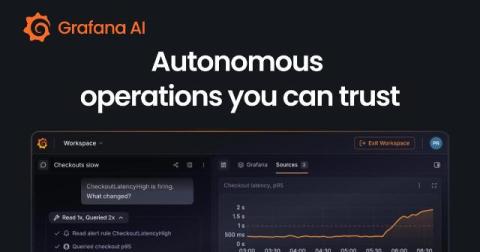
From production problem to proposed fix: Implement autonomous operations with Grafana AI

You've just finished a deployment, and though your service is up, you start to notice some requests are getting slower. To address the lag, someone—or, more likely, some group of people on your team—needs to watch the dashboards, decide whether the change matters, investigate what happened, and turn the findings into a fix. At each step you're gathering context—and often explaining that context again to the next person or tool.
ObservabilityCON 2026: A guide to all the announcements from Grafana Labs

Today at ObservabilityCON 2026 in San Francisco, we unveiled a range of new Grafana Cloud capabilities designed to reshape cloud economics, bring richer context and deeper visibility across your systems and end-user experiences, and help teams move toward autonomous operations. Check out the keynote to learn more about the latest updates to the open agentic observability cloud, and read on for a quick recap of all the news from ObservabilityCON 2026.

6 improvements that make Grafana Assistant better at helping your workflows

When you ask Grafana Assistant to build a dashboard or investigate an alert, you're doing so because there's work to be done. To do that work effectively, you need the right data, changes you can inspect, and conclusions supported by evidence. You also want Assistant to avoid mistakes and act quickly. Over the past six months, our team has worked hard to improve what makes those outcomes possible.

Get observability in your pocket with the Grafana mobile app

When you’re on the go, your phone is often the only observability tool you have. And what you can do with it in the first few minutes matters. With the incredible innovation that has gone into mobile CPUs, GPUs and displays, a phone is a powerful device where you can immediately see what’s happening and start acting on it. And the Grafana mobile app now allows you to both see and act.

Coverage-first or cost-first: two ways to automatically apply Adaptive Metrics' recommendations

Adaptive Metrics , which is part of the Adaptive Telemetry suite, looks at how your metrics are actually used and recommends how much detail you should keep for each metric. This helps you cut costs while still retaining the data you actually need. Last year we added auto-apply capabilities that let you implement those recommendations automatically, but only with coverage-first behavior, maximizing coverage of whatever you're querying.

Introduction to Digital Experience Monitoring with Grafana Cloud

Digital Experience Monitoring (DEM) in Grafana Cloud combines frontend observability, synthetic checks, and session replays with backend telemetry to give engineering teams an end-to-end view of customer experience. In this video, Senior Developer Advocate Marie Cruz gives an overview of DEM and a deep-dive demo of how it works in Grafana Cloud.

Go from alert to post-incident review with Grafana Cloud IRM and AI

You’ve got 10 minutes before your next meeting when your phone starts ringing. You’re being paged because the frontend is erroring with failed API requests. You open one tool to see what fired, then another to figure out what’s going on. You message a teammate in Slack to see if they’re noticing the same thing. That’s a lot of context switching, and it’s still how a lot of teams' incident response works today. Opening another tool and catching someone up takes time.

When you have a question, not a dashboard to build: the Metrics explorer and recording rule templates

Dashboards answer the questions you knew you would ask. The other kind — “is it only this server, or all of them?”, “since when?”, “what does memory look like on the ones that restarted?” — used to start with creating a dashboard, adding a widget, picking a metric, and deleting the whole thing afterwards. Bleemeo now has a page for those questions. It is called Metrics: you write a PromQL query, run it, and look at the answer.

Landing on the Moon with Grafana and Thermal Engineering | Grafana Everywhere

In honor of World Space Week, we're spotlighting Jackson Sweeney's story and his role in Blue Ghost Mission 1. As a Thermal Engineer at Firefly Aerospace, he used Grafana to ensure that the spacecraft maintained the right temperature throughout the mission... and receive a Golden Grot Award for his use case. Behind every successful moonshot are people solving one hard problem after another. For engineers like Jackson, that means turning an extraordinary ambition into thousands of practical decisions.