Tutorial: How to connect Checkmk to SIGNL4
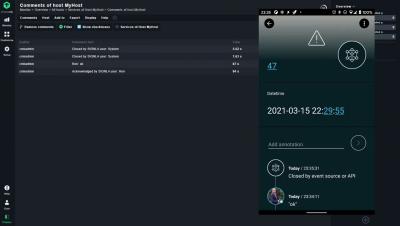
How to add critical mobile alerting to Checkmk with SIGNL4. Ronald explains how to implement a 2-way integration of SIGNL4 with Checkmk. A SIGNL4 connector is now a part of Checkmk 2.0


A huge portion of today’s corporate network is made up of mobile endpoints, such as laptops, tablet computers, and mobile phones. These are domain-joined and non-domain devices that require access to corporate assets to carry out everyday operations.
Love 'em or hate 'em, mobile push notifications can be very useful. They are not as intrusive as a phone call and have better information formats and control than text messages. Which is why it can be very frustrating to not get push notifications for your favorite product because it doesn't have a mobile app. In this post, we will see how to get mobile push notifications from any service, even if they don't have a mobile app.
Bazel (pronounced like the tasty herb: “bay-zell”) is an universal build tool developed by Google. Some notable companies like Twitter and projects like the Android Open Source project have migrated to Bazel. In this tutorial, you will learn how to build a Bazel Android project and set it up for continuous integration with CircleCI. We will wrap up by automatically running tests and producing a binary APK file. In addition to the written guide there is a working sample project.
When an issue happens in your software in production, the channel to send the alert on depends on multiple factors. If it's a critical issue requiring immediate attention, you should alert the team member via phone call. But not all issues require a phone call, and in fact it may become annoying if your phone keeps ringing for minor issues. This is where other channels like SMS, Slack and mobile push notifications come in.
5G is in the process of transforming communications technology, enabling never-before-seen data transfer speeds and high-performance remote computing capabilities.
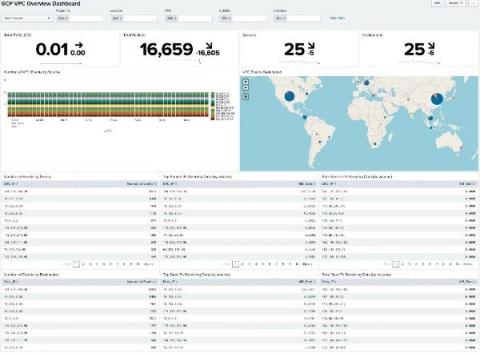
With our ability to ingest GCP logs and metrics into Splunk and Splunk Infrastructure Monitoring, there’s never been a better time to start driving value out of your GCP data. We’ve already started to explore this with the great blog from Matt here: Getting to Know Google Cloud Audit Logs. Expanding on this, there’s now a pre-built set of dashboards available in a Splunkbase App: GCP Application Template for Splunk!