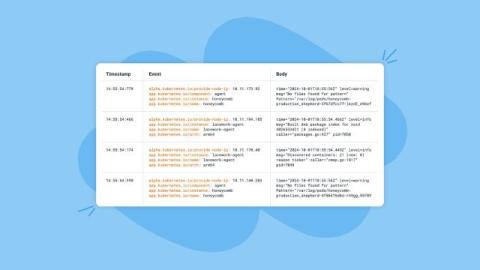
Let me set the record straight before anyone accuses me of bias or not being an OpenTelemetry supporter. Cribl loves OpenTelemetry! We’ve written lots of blogs about It; we have vendor-specific OpenTelemetry Destinations (with more to come!), and we support automatic batch parsing for easier data manipulation and re-batching for network transport efficiency of logs, metrics, and traces.
As we wrap up an incredible year, it’s the perfect time to celebrate Cribl’s progress and innovation in 2024! This year brought many exciting features designed to solve real-world problems and make life easier for our customers. In the spirit of reflection and festivity, I’ll highlight twelve game-changing product features, releases, and enhancements— each a testament to listening, learning, and delivering value to you, our users.
When you have a piece of data tucked into your logs or span tags, how do you dig for that bounty of insight today? Commonly this sort of data will be numeric, like a purchase total or number of units. Wouldn’t it be nice to easily turn that data into a metric timeseries? The Sum Connector in OpenTelemetry does just that, allowing you to create sums from attributes attached to logs, spans, span events, and even data points!
Infrastructure monitoring module based on OpenTelemetry This is our first release with infra monitoring module and we have added support for: In roadmap If you need any clarification or find something missing, feel free to raise a GitHub issue with the label documentation or reach out to us at the community slack channel.
Angular applications often grow in complexity, making it challenging to monitor performance and troubleshoot issues effectively. Enter OpenTelemetry: a powerful, vendor-neutral framework for telemetry collection. This guide will walk you through implementing OpenTelemetry in your Angular projects, enhancing your ability to observe and optimize your applications.
Cribl Edge can send data to OpenTelemetry in several different ways. In this blog post, we’ll focus on the OpenTelemetry Metrics. In the blog, we’ll talk about Cribl Edge, but what we say applies to Cribl Stream, too! We will cover how to use Cribl Edge to collect Linux System Metrics, transform them into the OTLP Metrics format, and deliver them to an OTLP Destination.
I’m a big fan of tasting menus. In the culinary world they let us sample a variety of dishes in small portions, helping us understand and appreciate different flavors and options. Inspired by this concept and a talk I gave earlier this year, I have crafted a “tasting menu” of OpenTelemetry Collector configurations in Grafana Cloud.