

|
By Alexandr Bandurchin
Teams running LLM applications in production face a cost problem that traditional APM tools were never designed to solve. CPU and memory costs are relatively predictable — a web service processing 1,000 requests per second costs roughly the same week over week. LLM API costs are not. A single user session can cost $0.01 or $5 depending on prompt length, model choice, conversation history, and how many retries happen inside your chain.
|
By Vladimir Mihailenco
Go 1.20 introduced an experimental arena package that lets you allocate many objects from a contiguous region of memory and free them all at once — bypassing the garbage collector entirely. The package remains experimental and its future is uncertain, but arenas are a valuable concept for understanding Go memory management and writing high-performance code. The arena package is experimental and on hold indefinitely. The Go team has made no guarantees about compatibility or its continued existence.
|
By Vladimir Mihailenco
You probably should avoid ctx.WithTimeout or ctx.WithDeadline with code that makes network calls. Here is why.
|
By Vladimir Mihailenco
This article explains how to use opentelemetry-go Metrics API to collect metrics, for example, go-redis/cache stats.

|
By Alexandr Bandurchin
Understanding Splunk pricing is crucial for organizations evaluating SIEM solutions. This guide examines licensing models, actual costs, and essential pricing factors to help you make an informed investment decision for your security and monitoring needs.
|
By Vladimir Mihailenco
OpenTelemetry backends provide storage, analysis, and visualization for telemetry data (traces, metrics, logs). This guide lists available OpenTelemetry-compliant backend options, categorized by use case: APM platforms, storage backends, visualization tools, and distributed tracing systems. For detailed comparison, see OpenTelemetry Backend Comparison.
|
By Alexandr Bandurchin
Managing Docker container logs is essential for debugging and monitoring application performance. Tailoring Docker logs allows for real-time insights, quick issue resolution, and optimized performance. This guide focuses on efficient methods for tailing Docker logs, with clear examples and command options to streamline log management.
|
By Alexandr Bandurchin
The kubectl logs command retrieves container logs from Kubernetes pods. It supports real-time log streaming with -f, time-based filtering with --since, viewing previous container instances with --previous, and accessing logs from specific containers in multi-container pods using -c.
|
By Alexandr Bandurchin
Node.js applications power millions of APIs, microservices, and real-time systems. But without proper monitoring, performance issues, memory leaks, and errors can go undetected until they impact users. This guide explains how to monitor Node.js applications in production, what metrics to track, and which tools deliver the best results.
|
By Alexandr Bandurchin
A queue quietly fills up overnight. Memory hits the configured watermark and RabbitMQ blocks all publishers. Your entire message pipeline freezes, and you discover the problem when users start complaining. This scenario repeats across thousands of production systems because teams don't monitor RabbitMQ properly. The broker exposes comprehensive metrics, but most engineers don't know which ones predict failures or how to track them.
|
By Uptrace
In this video, we use Claude MCP to create and merge Docker container dashboards in Uptrace — directly from the terminal, no manual clicking required. What you'll see: CPU, memory, network, and disk I/O dashboards created with plain text prompts Two dashboards merged into one unified view Dashboard exported as YAML for version control.
|
By Uptrace
In this tutorial you'll learn how to use Uptrace and Grafana together. Uptrace exposes a Prometheus-compatible HTTP endpoint, so you can add it as a data source in Grafana and reuse your existing dashboards without changing metric names or rewriting queries.
|
By Uptrace
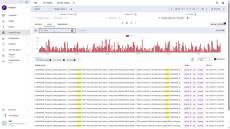
Here are 3 YouTube title options plus a description optimized for technical/dev audiences: Same log pattern. Hundreds of useless groups. In this video, we show how to use Uptrace Grouping Rules to automatically turn noisy logs into structured, searchable data — without changing application code. You'll learn how to: Examples covered: Perfect for:#OpenTelemetry users, backend engineers, SREs, and anyone dealing with noisy logs.
|
By Uptrace
Tired of clicking through menus to build observability dashboards? In this video I walk through how to configure the Uptrace MCP (Model Context Protocol) server and connect it to an AI assistant so your dashboards get created automatically from natural-language prompts. You'll learn how to: By the end you'll have a working setup where describing what you want to monitor is enough to get a real, shareable dashboard in Uptrace.
|
By Uptrace
Learn how to set up the OpenTelemetry Collector and connect it to Uptrace for distributed tracing, metrics, and logs. This step-by-step guide walks you through installation, configuration, and sending your first telemetry data — perfect for beginners and anyone looking to level up their observability stack.
|
By Uptrace
Every error tells a story — and Uptrace helps you see the full picture. In this tutorial, you’ll learn how to use Uptrace to capture errors, logs, stacktraces, and request context in a single observability platform. See how errors automatically link to traces, understand exactly what happened, and debug issues faster with rich attributes, user data, and performance impact. What you’ll learn: Understand not just *what broke*, but *who it affected and why* — and fix problems with confidence using Uptrace.
|
By Uptrace
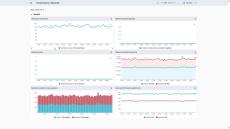
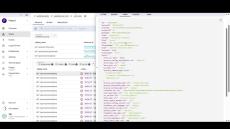
Learn how to use *Uptrace* to measure what truly matters in your applications using percentiles, heatmaps, and histograms—then turn that data into dashboards that answer questions before they’re even asked. In this tutorial, you’ll discover how to: Whether you’re setting up observability for the first time or replacing expensive monitoring tools, this guide shows how Uptrace helps you understand performance, reliability, and user experience — all in one place.
|
By Uptrace
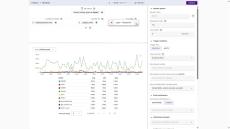
Stop guessing where requests slow down. With Uptrace, you can follow any request across your entire system and instantly see performance bottlenecks, errors, and latency sources. This video covers: Build real observability, not just dashboards.
|
By Uptrace
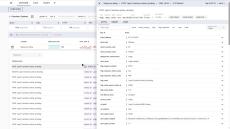
Learn how to monitor application metrics, track errors, and configure real-time alert notifications in Uptrace. In this step-by-step tutorial, you will: Perfect for developers, DevOps engineers, and teams looking for simple, powerful observability.
|
By Uptrace
Uptrace is your single source of truth for monitoring, understanding, and optimizing complex distributed systems. Proven in production for over five years and trusted by more than a thousand installations worldwide, it lets you see your system like never before. What makes the difference is that Uptrace is pure OpenTelemetry, built natively from day one. This isn't a translation layer—it's a direct connection that eliminates friction and ensures zero vendor lock-in. Your homepage serves as your command center, providing complete visibility across your stack at a glance.
- July 2026 (1)
- June 2026 (1)
- May 2026 (1)
- April 2026 (3)
- March 2026 (1)
- February 2026 (6)
- December 2025 (4)
- November 2025 (3)
- October 2025 (2)
- September 2025 (4)
- August 2025 (1)
- July 2025 (2)
- June 2025 (2)
- May 2025 (3)
- April 2025 (6)
- January 2025 (12)
- December 2024 (9)
- November 2024 (7)
- October 2024 (8)
- September 2024 (13)
- August 2024 (8)
- July 2024 (3)
- May 2024 (1)
- April 2024 (1)
- March 2024 (3)
- February 2024 (1)
- January 2024 (2)
- October 2023 (1)
- August 2023 (1)
- July 2023 (4)
- June 2023 (1)
- April 2022 (1)
Uptrace is an open source APM that supports distributed tracing, metrics, and logs. You can use it to monitor applications and set up automatic alerts to receive notifications via email, Slack, Telegram, and more.
Uptrace collects and analyzes data from a variety of sources, including servers, databases, cloud providers, monitoring tools, and custom applications. It provides a unified view of the entire technology stack, enabling you to monitor the performance, availability, and health of your systems in real time.
Features:
- Single UI for traces, metrics, and logs.
- SQL-like query language to aggregate spans.
- Promql-like language to aggregate metrics.
- Built-in alerts with notifications via Email, Slack, WebHook, and AlertManager.
- Pre-built metrics dashboards.
- Multiple users/projects via YAML config.
- Single sign-on (SSO): Okta, Keycloak, Cloudflare, Google Cloud, and others.
- Ingestion using OpenTelemetry, Vector, FluentBit, CloudWatch, and more.
- Efficient processing: more than 10K spans / second on a single core.
- Excellent on-disk compression: 1KB span can be compressed down to ~40 bytes.
Open Source Observability with Traces, Metrics, and Logs.