

Operations | Monitoring | ITSM | DevOps | Cloud

8 Best AI SRE Tools in 2026 for Incident Investigation and Reliability

The best AI SRE tools to evaluate in 2026 include Sherlocks AI, Resolve AI, Traversal, Cleric, Rootly AI SRE, Komodor Klaudia, Datadog Bits Investigation, and Dynatrace Intelligence. Each addresses a different part of reliability work, from investigating alerts across multiple systems to diagnosing Kubernetes failures or validating production changes. Choosing the right tool starts with a practical question: where does your team lose time during an incident?


10 Best AI Logging Tools in 2026: Features, Pricing & Comparison

As businesses increasingly integrate artificial intelligence into their applications and workflows, understanding what happens behind the scenes of these AI systems has become essential. AI-powered chatbots, large language models (LLMs), and autonomous AI agents can process thousands of requests, interact with external applications, and execute complex tasks. However, when something goes wrong, identifying the source of the problem isn’t always straightforward. Was the AI response incorrect?

Automated Medical Answering Services: Cost and Setup Guide

After-hours calls can create missed messages and send urgent issues to the wrong clinician. For private medical practices, that risk grows when call answering and on-call escalation rely on the same loosely defined workflow. Answering service receives an inbound call, captures information, and categorizes the request. On-call routing identifies the responsible clinician, delivers the message, and escalates it when the clinician does not respond.

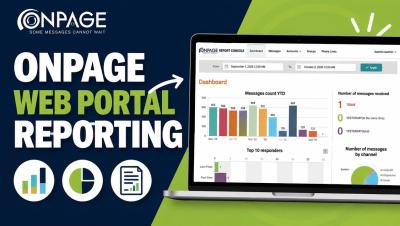
OnPage Web Portal Reporting: Dashboard & Analytics Guide

Learn how to navigate the OnPage Web Portal Reporting Console and gain greater visibility into your organization’s critical messaging activity. In this video, we walk through OnPage’s reporting tools and show how administrators can review alert and message activity, delivery and response metrics, responder performance, account and group activity, and communication trends from one centralized dashboard.

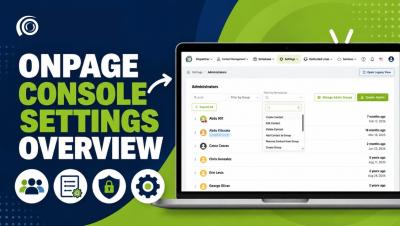
How to Use OnPage Console Settings | Settings Overview

Learn how to navigate and manage the Settings section in the OnPage Console. In this video, we walk through the OnPage Console Settings and show administrators how to manage administrator accounts, permissions and groups, reusable message templates, notifications, security settings, and other organization-level preferences. The Settings section gives administrators a centralized place to configure their OnPage environment, control user permissions, and manage important account preferences.

Top 10 RMM (Remote Monitoring and Management) Tools for IT Teams in 2026

Managing a growing IT environment requires more than reacting to problems as they appear. IT teams and managed service providers (MSPs) need continuous visibility into endpoints, servers, networks and other infrastructure so they can identify potential issues, perform maintenance and resolve problems remotely. That is where remote monitoring and management (RMM) software comes in. RMM tools provide IT teams with a centralized way to monitor and manage distributed IT environments.

How Pharmacies Can Streamline Call-In Prescription Workflows With OnPage

Pharmacists manage much more than dispensing medications. Throughout the day, they may be processing prescriptions, communicating with healthcare providers, assisting patients and coordinating with other pharmacy staff, all while managing a steady flow of incoming calls. For pharmacies that accept prescriptions by phone, those calls add another important communication workflow to an already busy environment.

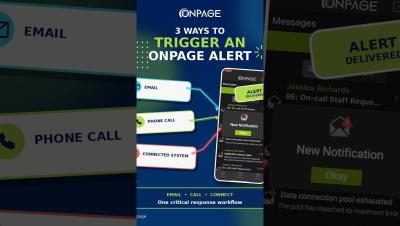
How to Send Critical Alerts to the OnPage App | 3 Ways

What are the different ways to send a critical alert to the OnPage app? This video shows three ways people and external systems can trigger a high-priority OnPage mobile alert that's also HIPAA compliant (secure or healthcare use cases): These options are particularly useful for users with OnPage mobile licenses who do not have a Silver or Gold plan.

On-Call Alerting vs. Mass Notification: What's the Difference?

When an urgent situation occurs, organizations need more than a way to send a message. They need a communication strategy that considers who needs to receive the message, whether they need to take action and how quickly they need to respond. This is where the difference between on-call alerting and mass notification becomes important. A critical IT incident, for example, may require an immediate response from a specific on-call engineer or incident response team.

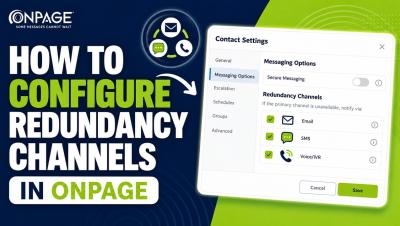
How to Configure Redundancy Channels in the OnPage Console

Learn how to configure redundancy notifications and copy recipients for a contact in the OnPage Console. This video walks through disabling Secure Messaging, setting the redundancy time interval, selecting additional delivery channels and sending message copies through email, SMS or IVR/voice call. Important: Disabling Secure Messaging means messages will no longer be delivered through OnPage’s secure channel. This configuration is not HIPAA compliant and should not be used for healthcare communications requiring HIPAA compliance.