Operations | Monitoring | ITSM | DevOps | Cloud

Why AURA Scratchpad Is Rad: Bound the AI SRE Agent Context Window

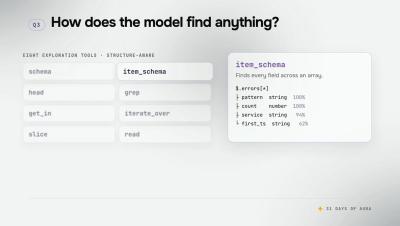
A big tool result does not have to be a big context cost. AURA moves it to disk and hands the model a pointer plus the tools to navigate what is there. A large MCP tool result can consume or overflow an agent's context window, and on a third-party server you do not control how much comes back. Scratchpad breaks the link between how big a tool result is and how much context it costs: the full output goes to disk, and only the slice the model asks for ever enters the window. Errors always pass through inline, so the model can react to them.
Signal vs. Spend: Building Cost-Aware Observability at Slack - O11yCon 2026

It started with a single log line taking up a massive amount of volume: 500 million emissions per hour. Pulling that thread led Emma and Steven into Slack's broader logging pipeline: 311 billion logs per day at 4.4M/sec peak, with no volume limits, no per-service attribution, and no feedback to the teams generating the noise.

Suppressing OnPage Notifications During Maintenance

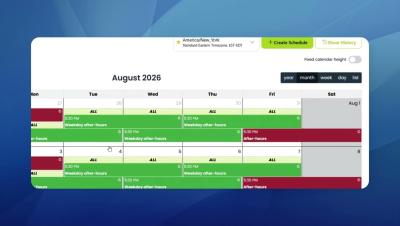
Learn how to suppress OnPage notifications during a scheduled maintenance window so your on-call team isn’t unnecessarily alerted while planned work is underway. OnPage’s Suppress Notifications option temporarily prevents notifications from being sent during a defined period. This is especially useful during scheduled maintenance, planned downtime, testing, or other known activities that could otherwise generate unnecessary alert noise.

Creating Message Templates in OnPage

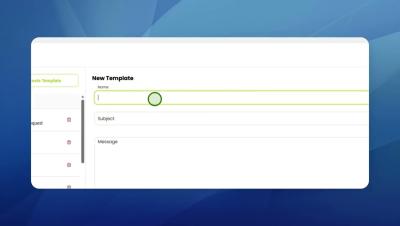
Learn how to create and configure a message template in OnPage to make critical communication faster, more consistent, and easier for your team. OnPage message templates are predefined message formats that help teams standardize frequently used communications without having to compose every alert or message from scratch, and can be pulled up on both web message dispatcher and OnPage's phone app. In this step-by-step tutorial, we show you how to navigate to Settings then Template, create a new message template, and configure the information users will see when that template is selected.

Autonomous IT and the Five Forces Reshaping IT in 2026

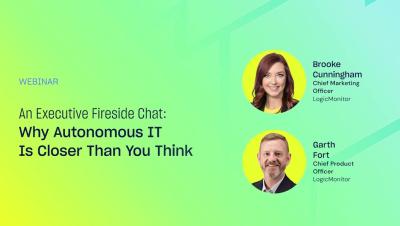
Autonomous IT is the focus of this LogicMonitor fireside chat with CMO Brooke Cunningham and CPO Garth Fort, built for enterprise IT leaders, IT operations, and observability and AIOps teams. Brooke and Garth break down the 2026 Observability and AI Outlook for IT Leaders report, based on a survey of 100+ VP-level IT leaders who own observability budgets across North America, EMEA, and Asia Pacific.

How to add Software Catalog metadata at scale with Terraform | Datadog Tips & Tricks

Adding metadata to Software Catalog entities manually is a tedious process that doesn’t scale as your service count grows. This video shows you how to automate that work with Terraform so you can add shared metadata across existing Software Catalog entities at scale.

CAASM in Action: Continuous Cyber Asset Management with Teneo & ThreatAware

See how Teneo’s CAASM solution, powered by ThreatAware, helps security teams continuously manage and monitor their cyber asset landscape. In this short demo, discover how ThreatAware makes it easier to create focused asset views, identify areas that need attention, and schedule reports to keep teams informed, helping turn cyber asset visibility into ongoing action. Teneo and ThreatAware bring your security data together to help you uncover gaps, improve cyber hygiene, and reduce risk across your attack surface.