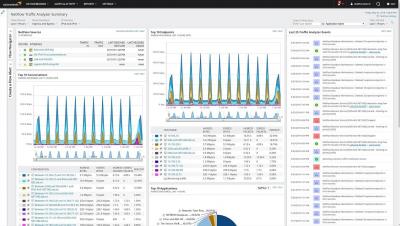
Network traffic visibility is more important than ever. SolarWinds NetFlow Traffic Analyzer expands that visibility to include IPv6 flow records, Palo Alto devices, and provides deployment flexibility and support for use of Azure® SQL as a data repository.
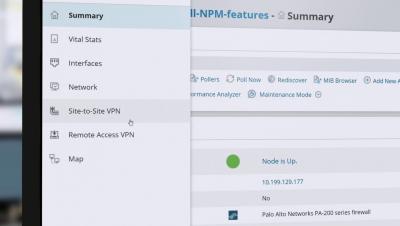
SolarWinds Network Insight™ provides deeper visibility into complex devices such as firewalls, load balancers, and switches. In this latest update to Network Insight, SolarWinds Network Management products now provide more information on Palo Alto Networks® firewalls. Network Insight is available in Network Performance Monitor, Network Configuration Manager, NetFlow Traffic Analyzer, and User Device Tracker.
Web application uptime is a must-have in your organization. Whether your applications are accessed inside or outside the firewall, your business depends on them being up, available, and performing optimally. Watch this short video and learn how Web Performance Monitor allows you to constantly monitor availability and response time from one location or locations around the globe. Find problems before your users do!
Learn more about the latest network management feature updates in SolarWinds® Network Performance Monitor, Network Configuration Manager, NetFlow Traffic Analyzer, VoIP & Network Quality Manager, IP Address Manager, Orion® Platform, and Orion Maps.
SolarWinds® Network Performance Monitor (NPM), created by network engineers for network engineers, is a complete monitoring solution designed to provide you with the tools you need to work smarter, improve visibility, and prevent downtime. See why SolarWinds is a worldwide leader in network monitoring.
In another video we laid out seven critical metrics you should monitor with AWS CloudWatch to know when to scale your database cluster. This video will focus on the first of those metrics, database connections.
Pandora FMS is not a puzzle of different superficially integrated solutions, we cover from hardware to user applications. Our software offers the possibility of planning your capacity and checking that your investment in hardware meets your expectations, thanks to our Top-N reports, various types of SLAs and trend reports.
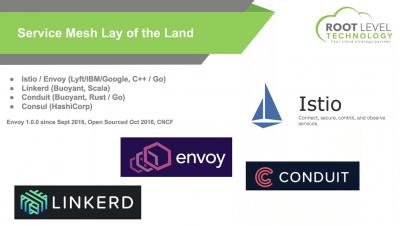
We all have gone through the introductory talks about Istio, but there is some confusion on how you can bring Istio in to a full production environment. In this master class, we will help you understand this journey of bringing Istio into a production environment and how it differs from your testing environments.
In this video, we'll take you through the advanced analytics for the additional modules, and show you some of the out of the box reports and dashboards.