Operations | Monitoring | ITSM | DevOps | Cloud

Industry 4.0 Defined and Explained

With Industry 4.0 fundamentally transforming manufacturing systems and processes through IIoT technologies, manufacturers large and small are seeking the most efficient ways to reap its benefits. Potential gains include optimizing operations, generating data-driven insight, creating new revenue streams, and accelerating innovation. To paint the big picture, let’s start with a definition of Industry 4.0, followed by an explanation of what adopting it involves.

Using the Flux VS Code Extension for IoT Application Development

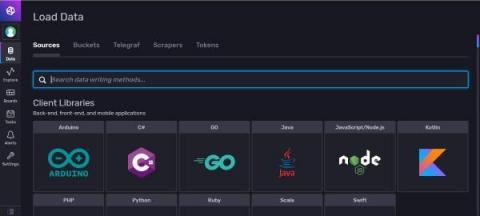
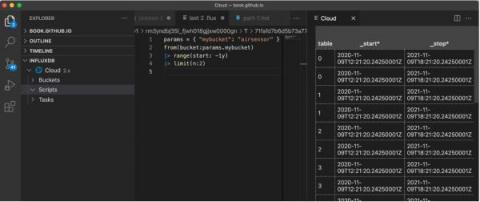
InfluxData prides itself on its effort to prioritize developer happiness. This included providing developers with a variety of tools to interact with InfluxDB v2 OSS or InfluxDB Cloud, so they can pick the development style that works best for them. This article assumes you’re using the InfluxDB Cloud Free tier, which is the easiest way to get started and maintain InfluxDB. You can use any of the following tools for your IoT application development.

Getting Started with PHP and InfluxDB

This article was written by Cameron Pavey, a full-stack dev living and working in Melbourne. Scroll below for this picture and bio. As a developer, it is likely that you will eventually run into a situation where a traditional relational database’s document stores don’t quite cut it. If you need to store points of data over time, you’ll likely need a time series database.

Flux Aggregation in InfluxDB: Now or Later

Aggregations are a powerful tool when processing large amounts of time series data. In fact, most of the time you’re going to care more about the min, max, mean, count or last values of your dataset than you will about the raw values you’re collecting. Knowing this, InfluxDB and the Flux language make it as easy as possible to run these aggregations, whenever and wherever you need to, and sometimes that leads people to running them in ways that aren’t as efficient as they could be.

Visualizing Your Time Series Data with the Highcharts Library and InfluxDB

If you’re building an IoT application on top of InfluxDB, you’ll probably use a graphing library to handle your visualization needs. Today we’re going to take a look at the charting library, Highcharts, to visualize our time series data with InfluxDB Cloud. However, I also encourage you to take a look at Giraffe, a React-based visualization library that powers the data visualizations in the InfluxDB 2.0 UI.

New Bucket Schema Option Can Protect You From Unwanted Schema Changes

One of the best things about getting started with InfluxDB over traditional relational databases is the fact that you don’t need to pre-define your schema in order to write data. This means you can create a bucket and write data in seconds, which can be pretty powerful to developers who care way more about the application they’re building than the mechanics of storing the data.

Getting Started with C# and InfluxDB

This post was written by James Hickey. Scroll below for full bio and picture following this article. Time series databases (TSDBs) can transform the way you handle streams of data in real time or IoT applications. In this tutorial, you’ll learn how to set one up in a C# application. Relational databases have their place. They’re great at things like data normalization, avoiding duplication, indexing over specific data points (like columns), and handling atomic changes to the schema.

Managing Secrets in the Browser in InfluxDB Cloud

Directly embedding passwords and API keys into the code you write is a bad practice. Of course, everyone knows this, but I’ll be the first to admit that it still happens now and then. In the world of source control and shared codebases, leaking a password can be a huge problem that costs your team time and money. Of course, today many companies leverage a secrets management system to lower the probability of something like this happening.

TL;DR InfluxDB Tech Tips - Aggregating across Tags or Fields and Ungrouping

So you’re interested in time series databases, and you decided to explore InfluxDB Cloud or InfluxDB v2. Perhaps you just created a free account or downloaded the binary, and now you’re playing around with the InfluxDB User Interface (UI) and learning Flux. The hardest thing for beginners to understand are the return results from a Flux query or Annotated CSV.

Introducing Ranged Annotations in InfluxDB Cloud

Adding annotations to your data is a great way to share context with other members of your team. In May, we added the ability to annotate individual points in your data. Today, we have added the ability to add ranged annotations to your dashboard graphs. We’ve also reworked some of the interactions with annotations based on user feedback so that they can be added quickly and easily. To learn more about working with annotations, check out our documentation.