Operations | Monitoring | ITSM | DevOps | Cloud

Captain's Log: Diving into our scheduling design

On-call scheduling is tricky. Like, really tricky. It was one of the scariest parts when we decided to build a modern alerting system earlier this year. We knew we couldn't cut any corners on Day One of our release because it needed to be a fully loaded feature for someone to realistically use our product (and replace an incumbent). This meant including windowed restrictions, coverage requests, and simple to complex rotations.
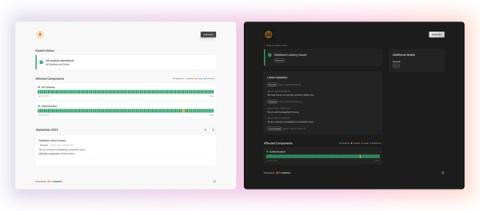
Your guide to better incident status pages

Your status page (or lack thereof) has the opportunity to signal a lot about your brand — how transparent you are, how quickly you respond to incidents, how you communicate with your customers — and ultimately, this all seriously impacts your reliability. After all, as our CEO Robert put it in a recent interview on the SRE Path podcast, you don’t get to decide your reliability; your customers do.

Captains Log: How we are leveraging CEL for Signals

As engineers, we didn't want to make Signals only a replacement for what the existing incumbents do today. We've had our own gripes for years about the information architecture many old companies still force you to implement today. You should be able to send us any signal from any data source and create an alert based on some conditions. We're no strangers to building features that include conditional logic, but we upped the ante when it came to Signals.

Captains Log: A first look at our architecture for Signals

Welcome to the first Signals Captain’s Log! My name is Robert, and I’m a recovering on-call engineer and the CEO of FireHydrant. When we started our journey of building Signals, a viable replacement for PagerDuty, OpsGenie, etc, we decided very early that we would tell everyone what makes Signals unique, and what better way than to tell you how we’re building it (without revealing too much 😉). Let’s jump in.

The new principles of incident alerting: it's time to evolve

In the ever-evolving world of software engineering, the landscape is constantly shifting. New technologies emerge, best practices evolve, and how we build and run software continues to change. However, when it comes to incident alerting, it often feels like we're stuck in the past.

More than downtime: the cultural drain caused by poor incident management

The costs of lackluster incident management are truly far-reaching. We’ve learned they go beyond explicit costs, like lost revenue and labor expenses. And that they go beyond the opportunity cost of engineers being diverted from building revenue-building features. The final area of incident cost that’s often overlooked is cultural drain.

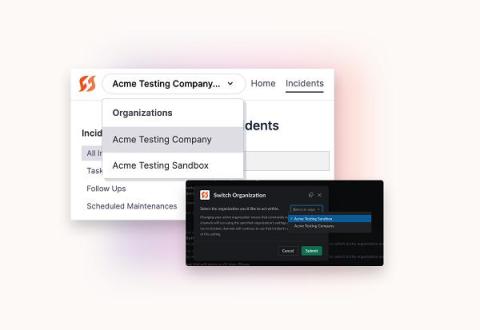
Multi-Org takes FireHydrant for enterprise to the next level

Too often, complexity means confusion — and confusion is your worst enemy when it comes to efficient incident response. We recently found that poor incident management practices (like confusion about what to do or how to escalate an incident) can cost companies as much as $18 million a year.

Streamlining incident response: the power of integration in engineering tools

In the ever-evolving world of software development, incidents are bound to happen. Whether it's an unexpected server crash, a critical bug impacting user experience, or a security breach, handling incidents swiftly and effectively is crucial for maintaining a seamless user experience and preserving business reputation. That's where incident response tools come in — to help you automate, document, communicate, and mitigate.