Operations | Monitoring | ITSM | DevOps | Cloud

Introducing Audiences: AI That Tailors Incident Communication to Every Stakeholder

When incidents strike, clear communication is crucial — but one size doesn't fit all. Customer support needs to know what users are experiencing and possible workarounds, execs need business impact updates and timelines, and engineers need deep technical details. Manually juggling these different communication needs is time-consuming, error-prone, and frustrating when every minute counts.

Introducing Audit Logs: Ensuring Visibility, Security, and Compliance in FireHydrant

When something goes wrong, the first question is always: what changed? Whether it’s an unexpected change to your on-call schedule, a broken automation, or a modified Runbook that just seems off, understanding the issue starts with knowing who made what change, when it happened, and what exactly changed. But in an organization with many users, keeping track of every action can feel impossible.

Signals Turns One! A Year of Growth and Innovation

A year ago, we launched Signals with a simple but powerful idea: on-call shouldn’t be a painful juggling act. Too often, teams had to bounce between separate alerting and incident response tools, slowing everything down when speed mattered most. And traditional on-call tools? They were built around services, not the people responding to them.

Your New Retrospective Experience: More Collaborative, Customizable, and Powerful

Run smarter, more effective retros. Customize retros, collaborate in real time, and surface key insights faster with AI. The new experience empowers you to spend less time documenting and more time working together as a team to uncover the insights that lead to real improvements in your process, roles, and technology.

The New Retrospective Experience Is Now Available to All

A great retrospective isn’t just about documenting what happened — it’s about bringing your team together to uncover the insights that lead to real improvements in your process, roles, and technology. But to make that happen, retrospectives need to be structured enough to be effective, flexible enough to fit your team, and easy to collaborate on. That’s exactly what we set out to build.

Enhancing Your Developer Experience: New SDKs for TypeScript, Go, and Terraform and Improved API Documentation

We built FireHydrant to be the kind of platform we’d want to use as developers, giving you the same tools and flexibility we rely on every day. With over 350 publicly accessible API endpoints, we’ve always believed in giving developers the power to customize and extend our platform to meet their exact needs.

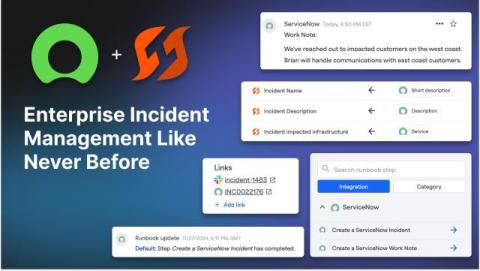
ServiceNow Integration Now Generally Available (Plus, Inbound Field Mapping)

We’re thrilled to announce that our ServiceNow integration is now generally available (GA). For enterprises that rely on ServiceNow to power their ITSM, this integration creates a seamless bridge between engineers responding to incidents in FireHydrant and the broader organization. At FireHydrant, we are committed to delivering enterprise-grade solutions that go beyond the basics.

Introducing Alert Grouping: Less Noise, More Signal

Imagine this familiar scenario: it’s 2 a.m., and a critical service goes down. Your phone starts buzzing nonstop with alerts — all essentially saying the same thing. It’s overwhelming, distracting, and makes it that much harder to focus on fixing the problem. Enter Alert Grouping — it’s our smarter way to manage alerts, designed to help you cut through the clutter and focus on what matters.

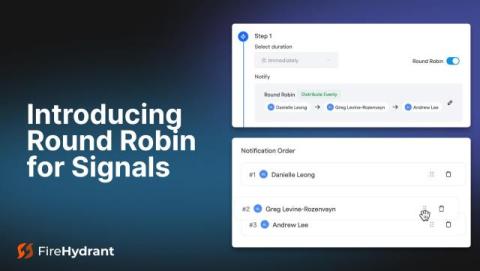
Introducing Round Robin for Signals Escalation Policies: More Flexibility, Control, and Balance

At FireHydrant, we know that alert management is about more than just getting notifications to the right people — it’s about reducing stress and fatigue, balancing workloads, and empowering your team to respond with confidence. That’s why we’re excited to unveil Round Robin for Signals Escalation Policies, a feature designed to make alert escalations smarter, fairer, and more team-friendly by allowing you to automate the sequential assignment of new alerts.

New in Microsoft Teams: Automatically Create Group Chats for Incident Communication

When we launched our fully-featured Microsoft Teams integration in May, our goal was clear: to provide enterprise teams with the robust and comprehensive toolset they need to manage incidents faster and more effectively – right where they work. It’s all part of our commitment to building the leading enterprise incident management solution. Today, we’ve enhanced our Teams integration by adding the ability to automatically create Microsoft Teams group chats directly from your Runbooks.