
Operations | Monitoring | ITSM | DevOps | Cloud

The BugSplat .NET SDK, Rebuilt: One NuGet Package for .NET Framework and .NET 10

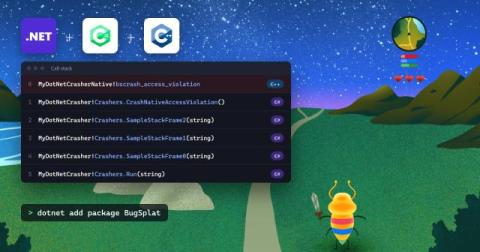
A lot of the software that game studios and enterprise teams ship on Windows is written in C#, and very little of that software is only C#. A WPF app calls a C++ library through P/Invoke, a native launcher hosts the.NET runtime, and a WinUI 3 front end sits on top of native components. When one of those apps crashes, the crash can start in C# code, start in C++ code, or pass through both, and the crash report needs to show the whole call stack either way.
BugSplat's Remote MCP Server: One Sign-In for All of Your Crashes

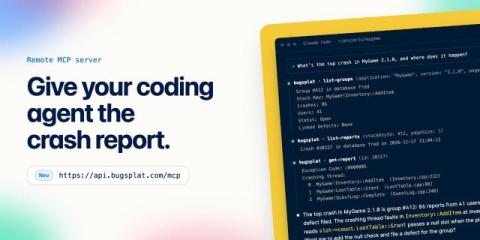
Software development looks a lot different than it did 10 years ago. AI has supercharged developers who have been willing to adopt the new capabilities while simultaneously lowering the barrier to entry to the field of software development. Large language models (LLMs) can generate code faster than any unassisted human, but the quality of that code can fluctuate wildly. Agents are only as good as the information they have to work with.

A Crash Dialog That Looks Like Your Game

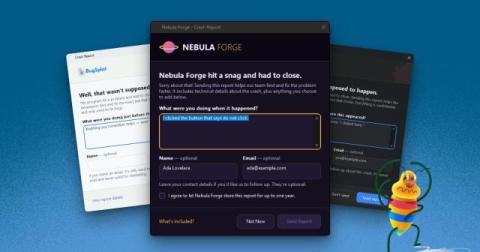
Nothing pulls a player out of your game faster than a crash. You can't undo the crash, but you do control what the player sees next. A crash dialog with your game's colors, logo, and wording shows players that your team takes stability seriously and wants to hear what went wrong. BugSplat for Windows 9.0 includes a new crash dialog that you can style to match your game.

The problems with user-reported bugs

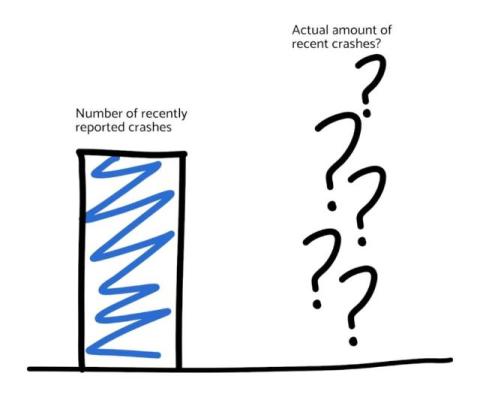
By the time a user emails you about a crash, three bad things have already happened: it shipped, it spread, and whatever caused it is now buried under a week of "it just stopped working." User reports feel like feedback. Mostly they're a lagging indicator of damage already done. Getting signal from your users matters. But if your plan for catching critical defects is users will tell us, you've outsourced your most important alerting system to the people least equipped to run it.

Build vs. Buy Your Crash Reporting Tool

We wrote up the general framework we use for build-vs-buy decisions here - how we think about the real costs, the six questions we ask, and why these decisions are harder to evaluate honestly than they look. This post is about what happens when you apply that thinking to crash reporting specifically. Because crash reporting has a few things that make the build-vs-buy tradeoff especially deceptive. The first 20% of the problem is easy enough to make you think you can do the whole thing. You usually can't.

What was the Great Video Game Crash of 1983?

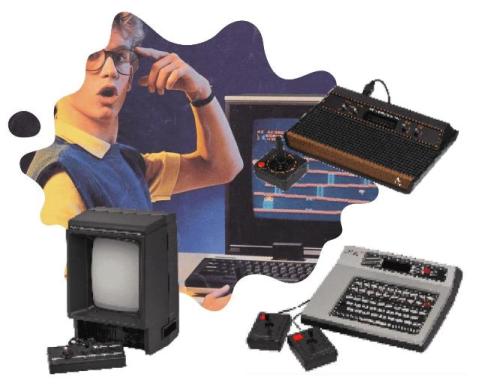
At BugSplat, we spend our days helping teams stop software and video game crashes. But not every crash is a bug in the code. Some are the kind that take down a whole industry. In the early 80s, video games were booming in North America. Home consoles had gotten cheap, demand for new games was spiking, and everybody wanted in. Companies scrambled to feed the frenzy. The stage was set for the most famous crash in gaming history. In 1983, the bottom fell out.

When to Add Crash Reporting to Your Game (Earlier Than You Think)

There's a wrong time to add crash reporting, and it's the time most teams pick: after a rough launch, when the reviews are already in and you're reverse-engineering what went wrong from a pile of angry Discord messages. By then the crashes have already cost you, in players, in reviews, in the days you'll now spend chasing bugs you could have seen coming. The fix is to start earlier than most teams do.

Adding Crash Reporting Before You Ship on Steam

A Steam launch is a deadline you can't move and an audience you can't preview. The day the page goes live, your game runs on hardware you've never seen, in configurations you never tested, in front of more players in twenty-four hours than touched it in the whole beta. If something crashes at scale, you find out from reviews. Crash reporting is the thing that turns that first wave from a guessing game into a ranked to-do list.

Bringing Custom Crash Responses to Unreal Engine

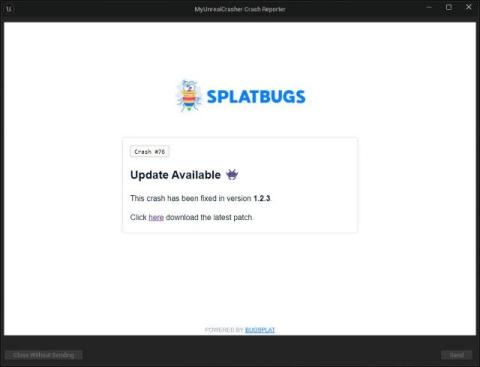
Show a customized, crash-specific message when your game crashes. Locked in an intense battle, hanging on for dear life, on the verge of nigh-impossible victory and then… boom! Positively, absolutely, unquestionably, no one wants a crash to interrupt their favorite game. Crashes are a frustrating yet inevitable part of gaming, and the only thing worse than being on the receiving end of a crash is being on the receiving end of the same crash repeatedly.

You, Me, and BugSplat's MCP

Let's face it - from an experienced developer's perspective, most software trends are, put lightly, incredibly annoying. The last thing a grizzled, old, technical wizard wants to hear is some half-brained junior developer telling them to switch their SQL server to MongoDB, replace the PHP EC2 with serverless Python, or rewrite their entire front-end with HTMX. The hype-train is so intense that even watching TV feels risky, as you might see something as absurd as an ad for AI toothpaste.