Operations | Monitoring | ITSM | DevOps | Cloud

Admin Panel - General Settings - xMatters Support

You can define the details for a company using the General Settings page accessed via the Admin menu. Depending on your permission level, you may not be able to view the General Settings screen. In addition, the settings you see on this page depend on both your role permissions and the features available in your product plan.

Callable Flows - xMatters Support

In xMatters Flow Designer, you can use callable flows to initiate a major incident process in any workflow. Instead of including the same sequence of steps in each workflow, such as posting to a status page or opening a help desk ticket, you can build the sequence once as a separate workflow and then include that as a step in any of your workflows.

Signals Report -xMatters Support

The Signals report helps you evaluate signals to your xMatters instance from HTTP, App, Email, and Incident Initiation and Incident Automation triggers (as well as some legacy inbound integrations). The report displays the timestamp, status code, and authentication details for each signal, as well as the payload and any related incidents, where applicable. Processed signals include outputs from the trigger and a link to the associated workflow so developers can further evaluate each request using Flow Designer's Activity panel.

ServiceNow Integration - xMatters Integrations

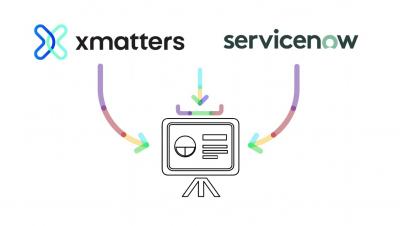
Looking to extend the value of your existing applications? The xMatters and ServiceNow integration allows organizations to accelerate IT incident response, reduce downtime, and maximize service reliability. Learn some of the most popular ways you can utilize these two industry-leading platforms, including engaging resources and automated technical escalations!

OAuth Authentication - xMatters Support

OAuth is an open standard system that uses tokens to grant access to systems or information without using a password. OAuth authentication authorizes requests to the xMatters Rest API by passing a token in the header of your requests. This means you don’t have to store user names or passwords in your applications, keeping your user’s information secure.

xMatters Service Intelligence Keeps Your Services Running!

Organizations spend heavily on digital services and business applications, with the expectation they deliver reliable value streams. When an issue occurs, the fear of losing revenue, damaging customer relationships, and upsetting employees can put a tremendous amount of pressure on incident resolvers. With xMatters Service Intelligence, organizations can visualize incidents in real-time, gain greater insight into their root cause, and remediate issues faster with service-centric automation.

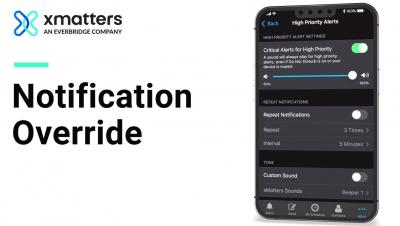
xMatters Notification Override Feature

Now you can sleep easy knowing xMatters notification override will let you know when a critical alert happens, regardless of your device status. Discover more about how xMatters can help ensure applications are always working, automate workflows, and deliver remarkable products at scale with the xMatters service reliability platform.