Operations | Monitoring | ITSM | DevOps | Cloud

What Is Real-Time Agent Assist, and How Does It Cut Escalation Time?

When a ticket reaches an experienced technician, the issue is supposed to be closer to resolution. Too often, the escalation starts the investigation again. The technician reads the history, checks what L1 attempted, opens the CMDB, searches past incidents, and pulls logs. The fix itself may take two minutes, but reconstructing the situation can take far longer. Real-time agent assist targets that gap.
Beyond Drag-and-Drop: What Sets AI Workflow Tools Apart

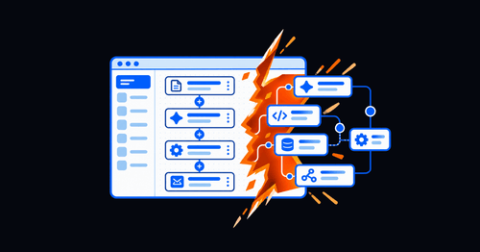
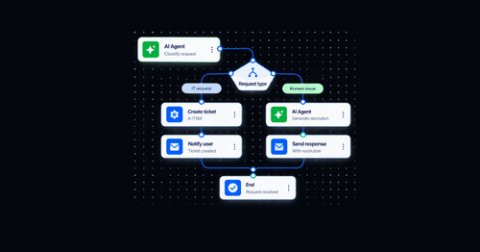
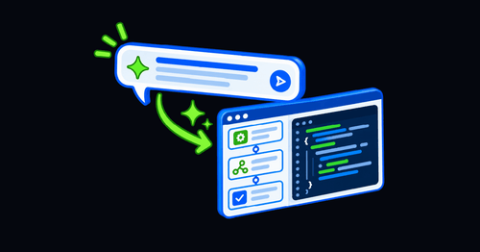
“AI workflow tool” now describes products with very different build models. One may generate an executable workflow from a plain-language request. Another may add a chat panel or autocomplete to the same drag-and-drop experience it has offered for years. That difference matters to buyers because teams choose workflow tools to reduce automation backlogs, eliminate repetitive work, and extend orchestration across ITSM, cloud, network, identity, and infrastructure systems.

What Is a Citizen Developer, and Why IT Teams Need Them Now

"Citizen developer" sounds simple: give business teams low-code tools and let them solve their own process problems. In practice, many organizations discover that the tools are still too technical for the intended builders or too loosely governed for IT to trust. Both problems matter. A policy cannot create citizen developers if the tool still demands platform expertise. An approachable builder cannot scale safely if workflows operate outside permissions, testing, audit, and lifecycle controls.

What Happens When You Outgrow a No-Code AI Agent Builder?

A no-code AI agent builder can get a defined agent into production quickly. The risk appears when added branches, exceptions, integrations, and controls exceed the visual canvas. Organizations should look for a platform that lets teams extend individual steps with reusable code without rebuilding the agent or abandoning its governance.

10 AIOps Automation Use Cases Transforming IT Operations

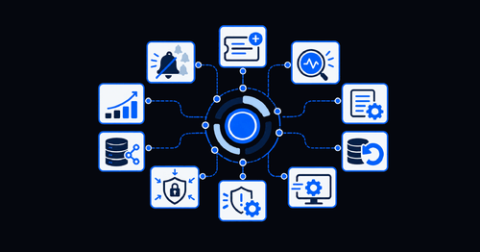
AIOps is often discussed as a broad technology category. That framing can make it difficult for an IT operations leader to connect the concept with the problems consuming the team’s time today. The practical question is simpler: Where does your team repeatedly lose time between detecting an issue and resolving it? Maybe engineers are drowning in alerts.

Building a Self-Service Knowledge Base Employees Want to Use

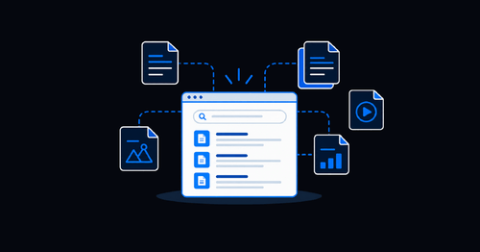
Most organizations already have policy documents, troubleshooting guides, knowledge articles, resolved tickets, runbooks, and internal wikis. They're not starting at zero, but despite that investment, employees continue to open tickets for questions the organization has already answered. The problem is not always a lack of knowledge. More often, employees cannot find the right information quickly enough to trust self-service as their first option.

Best AIOps Automation Tools in 2026: How to Choose

The phrase “AIOps automation” now appears across observability platforms, ITSM suites, orchestration products, runbook tools, and general automation software. The label alone says little about what happens after detection. Some products create a ticket. Some launch a script. Others gather live context, choose an approved response path, execute across several systems, verify recovery, and update the operational record.

AIOps Automation Tools Buyer's Guide

The phrase “AIOps automation” now appears across observability platforms, ITSM suites, orchestration products, runbook tools, and general automation software. The label alone says little about what happens after detection. Some products create a ticket. Some launch a script. Others gather live context, choose an approved response path, execute across several systems, verify recovery, and update the operational record.

Incident Management Best Practices for Modern IT Teams

Incident management used to be easier to picture: an alert arrived, a ticket opened, a support team followed a process, and service returned. Today’s incidents move across cloud platforms, SaaS applications, networks, identity services, observability tools, ITSM queues, and engineering teams. The fundamentals still matter, though. Clear process, ownership, communication, and learning matter more when the environment becomes harder to understand. What has changed is how teams execute them.

Incident Management System: What It Is and How to Choose One

An alert fires. A ticket opens. Someone gets paged. Then the real work begins: gathering context, finding the affected service, deciding who owns the issue, running diagnostics, applying a fix, validating recovery, and documenting the result. Many IT teams assume that an incident management system is simply the application that opens and tracks the ticket. That is part of the job, but it’s not the whole operating model.