Knowledge Graph as context for LLMs: demonstrating decisive RCA and faster production performance

On the product team here at Grafana Labs, we consider AI agents our users, too. That’s why we set out to test how well agents can debug incidents across the full stack, and how much better they perform with Grafana Cloud’s Knowledge Graph vs. using raw telemetry alone. Our early results are promising. In one real incident we replayed 16 times each way, an agent with Knowledge Graph context found the correct root cause 15 times, compared with just once using raw telemetry alone.
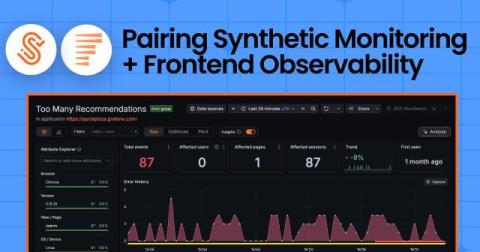
From failed check to real user impact: Pairing Synthetic Monitoring and Frontend Observability in Grafana Cloud

Say you get a support escalation about a page in the app that won’t load. But when you pull up your synthetic checks, they're all green: 100% uptime, probes are passing. Something's not adding up, but which one do you trust? If you’ve run Grafana Cloud Synthetic Monitoring, you’ve been on both sides of this. Sometimes it's the ticket: real users hit a wall on the path but your checks pass cleanly. Other times, it’s the inverse.

When to Use Grafana Assistant vs. MCP vs. GCX: Part 2

When should you reach for Grafana MCP? It’s one of the two “hands” in Grafana’s AI toolkit — and the easy one at that. MCP lets you bring Grafana into the tools you already use, like ChatGPT, Claude, or Cursor, without changing your workflow. No terminal? MCP. Want to stick with your favorite AI tool? MCP. Want easy tool discovery out of the box? MCP. Here’s where it fits, and when to use it — explained by Nicole van der Hoeven.

Introducing the AI toolkit - build a SquaredUp plugin from a single prompt

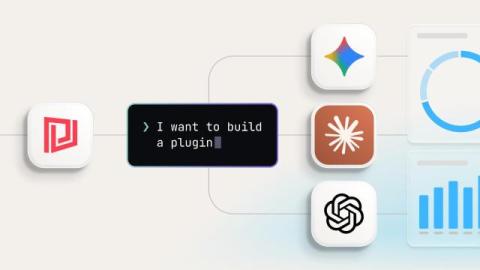
When we introduced the Low Code Plugin (LCP) framework in February, the premise was simple: if a system has an API, you should be able to build a plugin for it — quickly, with minimal code, and in a way you can share with the community. The "AI-ready" part was deliberate. The framework was designed to work naturally with AI assistants, so the path from idea to working integration would be as short as possible. That design decision is now paying off.

Getting started with Microsoft Purview dashboards

Microsoft Purview is an enterprise-scale platform for managing data governance across your whole cloud estate. It is not just about ensuring the integrity of data stored in SQL databases — it spans the whole spectrum of data storage including blob storage, document databases, email and AI frameworks. It has an extensive list of features for organising and monitoring your enterprise data. This includes.

The finance dashboard I actually use, built from CloudZero and Campfire in an afternoon

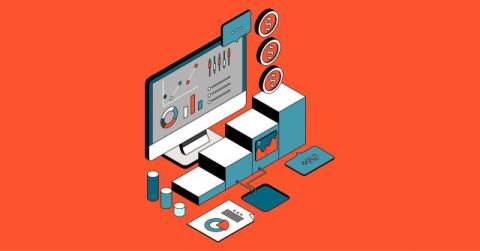
Every finance person I know lives in the same loop approaching the end of the month, quarter, or fiscal year. Leadership wants to know where the financials will land (most times before the close has occurred). CS wants customer margins. Someone on the People team needs each department’s AI spend for an OKR review, and they need it quickly to make business decisions. Each answer sits in a different tool or a different spreadsheet, and I bounce across all of them several times a day.

What's New in Digital Experience Monitoring with Grafana Cloud

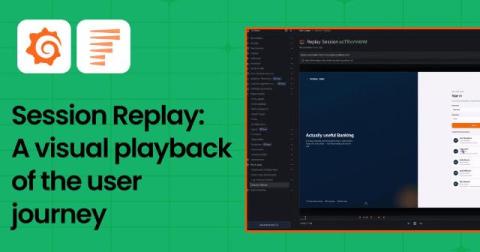
Grafana Digital Experience Monitoring (DEM) brings Frontend Observability and Synthetic Monitoring together, so teams can go from symptom to root cause without bouncing between tools. In this video, Bukola, Senior Developer Advocate at Grafana Labs, demos two of the newest DEM features. Session Replay and the integration between Synthetic Monitoring and Frontend Observability.

Visual playback of the user journey: Introducing Session Replay in Grafana Cloud Frontend Observability

Grafana Cloud Frontend Observability helps engineering teams quantify the end user experience by bringing metrics, logs, traces, and user session context to client-side web applications. Teams can monitor application health and performance over time, triage errors, and correlate frontend signals with backend telemetry to investigate issues across the stack.

Grafana Pyroscope: Call Tree, Heat Map, & Adaptive Profiles (August 2026 Community Call)

We will look at some new features: Call Tree, Heat Map, & Adaptive Profiles Can't comment in the chat? You may need to create a channel. Join us live for an introduction to flame graphs. We’ll cover what they are, how to read them, and how to use them to find performance bottlenecks in your applications. Bring your questions! Grafana Cloud is the easiest way to get started with Grafana dashboards, metrics, logs, traces, and profiles. Our forever-free tier includes access to 10k metrics, 50GB logs, 50GB traces and more.