Operations | Monitoring | ITSM | DevOps | Cloud

Grafana Campfire - Using Git Sync (Grafana Community Call -Nov 2025)

For our upcoming Grafana Campfire Community Call, we'll explore Grafana Git Sync, a powerful new feature that enables seamless dashboard-as-code workflows. Git Sync bridges the gap between Grafana's UI and your version control system, allowing you to manage dashboards with the same rigor and collaboration practices you use for application code.

How to monitor Amazon Bedrock AgentCore AI agent infrastructure in Grafana Cloud

Modern AI agents are now highly advanced, frequently becoming essential components of engineering workflows and deployment pipelines. However, operating these systems often feels like trying to navigate a ship through a dense fog. When an agent errors, slows down, or consumes excessive resources, engineers find themselves adrift, lacking the navigational charts needed to diagnose the problem. The absence of deep insight makes debugging, performance tuning, and cost management unnecessarily difficult.

How to monitor AI agent applications on Amazon Bedrock AgentCore with Grafana Cloud

Today’s AI agents have grown increasingly sophisticated, moving into production environments and becoming integral parts of engineering workflows. But these agents can also be black boxes for engineers, which makes observability more critical than ever. Without proper monitoring, you’re often left feeling like you’re flying blind as you try to debug agent failures, understand performance bottlenecks, and track costs.

How to Stream AWS CloudWatch Metrics into Grafana Cloud (10× Cheaper + Near Real-Time)

Unlock faster, cheaper, and more reliable AWS observability with CloudWatch Metric Streams in Grafana Cloud. In this video, Tristan from Grafana Labs gives a full walkthrough of our new AWS Metric Streaming integration, showing how to stream CloudWatch metrics directly into Grafana Cloud using Amazon Data Firehose and Terraform.

Monitor Temporal Workflows seamlessly: Introducing the Temporal Cloud integration for Grafana Cloud

Nishad Krishnan is a Software Engineer at Temporal Technologies, where he’s focused on observability and making the “unknown unknowns” slightly less unknown. At Temporal Technologies, our goal is to make it easier for developers to build and operate reliable, scalable applications without sacrificing productivity. Our platform, Temporal, helps ensure that code runs to completion once started, no matter how long it takes or what failures occur along the way.

Breaking siloes: How to use cross-store correlations with Grafana

Grafana is great at hopping between signals in its native backends (Grafana Loki, Grafana Mimir, Grafana Tempo). But your data doesn’t have to live there to get the same smooth workflow. Afterall, we don’t just pay lip service to our “big tent” philosophy—we want to meet all our users’ diverse needs, regardless of what kind of data you have or where you store it.

Lightweight Open-Source APM with OTel Demo (Grafana OpenTelemetry Community Call)

We’re back with the second Grafana OpenTelemetry Community Call! Join us as we continue exploring how to get observability into your apps and infrastructure with Grafana, powered by OpenTelemetry. In this session, we’ll walk through the basics of application monitoring using the OpenTelemetry Demo — a realistic example of a distributed system built on a fully open-source stack: Prometheus, Jaeger, and OpenSearch, with dashboards powered by Grafana.

Grafana 12.3 release: Interactive learning experiences, new and improved logs visualizations, and more

Grafana 12.3 is here, delivering new features for interactive learning, deeper insights into logging data, and so much more. Overall, a big theme in the latest minor release is to make data exploration easier, faster, and more customizable. Grafana 12.3: Download now! Below are just some of the highlights from Grafana 12.3. If you want to explore all the latest updates, please refer to the changelog or our What’s New documentation, and be sure to check out the TL;DR video below.

Monitor SolarWinds in Grafana: Demo + Setup

Matt from Grafana’s Enterprise Data Sources team demos the SolarWinds plugin: URL/credentials setup, TLS options, health check, and built-in dashboards. See how to query SolarWinds data with SWQL in Grafana and where to learn more (docs + SolarWinds SWQL resources). As of Nov 19, 2025, this is available in public preview in Grafana Cloud (including the free tier) and Grafana Enterprise.

Grafana Data Visualization Update: Panel Time Settings & Time Comparison in 12.3

The new panel time settings drawer gives you greater control over time ranges and shifts at the panel level without editing the dashboard. The time comparison feature, in particular, was a request from the community, and allows you to easily perform time-based (for example, month-over-month) comparative analyses in a single view. This eliminates the need to duplicate panels or dashboards to perform trend tracking and performance benchmarking.

How to pair Grafana Drilldown with Loki for faster logging insights

Our logs can tell us so much about the state of our systems, but they can also be a bit overwhelming. Yes, Grafana Loki—and, by extension, Grafana Cloud Logs, which is powered by Loki—reimagined the way log aggregation systems could meet modern engineering demands, but logs, by their very nature, are still voluminous.

Azure Monitor offers Grafana dashboards natively for immediate, real-time operational monitoring

Editor’s note: This blog originally published in May 2025 when Azure Monitor dashboards with Grafana became available in public preview. It was updated in November 2025 to reflect general availability. The Grafanaverse just got a little bit bigger.

A tale of two incident responses: How our AI assistant found the root cause 3.5x faster

About two months ago, an incident at Grafana Labs was kicked off in typical fashion: A series of alerts were triggered, our on-call engineer acknowledged it on Slack, and the rest of the team quickly began hypothesizing about the potential culprit. But the way the incident was resolved was anything but typical. Yes, our internal team followed best practices to resolve the incident as quickly as possible.

Grafana Play updates: A redesigned homepage to celebrate our community

Grafana Play is a free, publicly accessible sandbox environment where anyone can explore and learn about Grafana, no setup or sign-in required. It comes preloaded with sample dashboards demonstrating how to connect to data sources, build visualizations, and experiment with Grafana’s advanced features. Hosted on Grafana Cloud, Grafana Play has grown significantly over the years. With thousands of public dashboards, it’s now a go-to destination for Grafana learning and exploration.

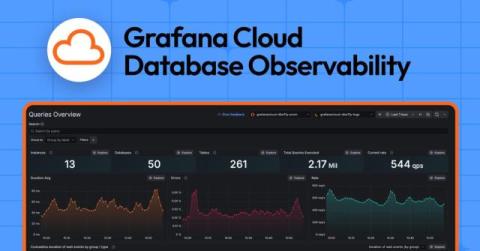
Understand, diagnose, and optimize SQL queries: Introducing Grafana Cloud Database Observability

It’s widely acknowledged that most application performance problems stem not from the application itself, but from the underlying database. Slow or inefficient database queries are often the primary cause of these issues, acting as the biggest driver of application performance incidents. If you’ve been troubleshooting slow API calls or sluggish services, chances are the root cause likely resides within your database layer.

Performance testing best practices: How to prepare for peak demand with Grafana Cloud k6

For many organizations, periods of high customer activity are anything but relaxing. Events like Black Friday, product launches, or major sales can put intense strain on the software and infrastructure systems that support a company’s web applications. Without proactive performance testing, these moments can quickly turn into poor user experiences and lost revenue.

Can a Human Beat Grafana's AI at Its Own Game?

Grafana Assistant just went GA at ObservabilityCON, and it’s already changing how developers onboard, troubleshoot, and build dashboards in Grafana Cloud. In this video, we put it to the ultimate test — a head-to-head challenge between me and the Grafana Assistant. Who can onboard an app into Grafana Cloud faster and more accurately? Chapters: Watch as we explore: How the Grafana Assistant simplifies onboarding and setup Building dashboards for Redis, Kafka, and Postgres The power of using community dashboards vs. manual configuration Whether AI can truly speed up observability workflows.

Solutions to hands on exercises | Grafana Alloy for Beginners Ep 14

In this episode, Lisa Jung and Mischa Thompson reveal the solutions to all four hands-on missions, showing how Alloy can collect, process, and secure telemetry data with precision and style. From uncovering hidden keys to securing sensitive data this episode puts Grafana Alloy’s problem-solving skills to the test. This repo is a great resource for learning about the Grafana stack end to end, so check it out if you'd like a full end-to-end working example!

Hands on Exercises Overview | Grafana Alloy for Beginners Episode 13

The moment to test your mad Alloy skills is here! Join Lisa Jung and Mischa Thompson from Grafana Labs for an overview of the four hands-on exercises and see how much you’ve learned throughout the series. This hands-on exercise section consists of four missions: The Hidden Key The Cardinality Crisis Attribute Alignment Redact and Protect Your mission, should you choose to accept it, awaits you in the Mission section of the series repo.

Grafana Mimir 3.0 release: performance improvements, a new query engine, and more

In 2022, we introduced Grafana Mimir, our open source, horizontally scalable, multi-tenant time series database (TSDB) designed for long-term storage of Prometheus and OpenTelemetry metrics. Over the years, Mimir has become a go-to metrics backend within the open source community, with 30 project maintainers and more than 4.7k GitHub stars.